

AI reverse image safety search
The SafetyCamAI iOS app launched in February 2026 on the U.S. App Store, bringing AI-powered visual safety checks directly to iPhone users. This new mobile release transforms how Americans approach everyday safety decisions by turning photos and CCTV frames into actionable match signals through searches of publicly accessible sources.
Previously available only on web platforms, SafetyCamAI now fits in your pocket for faster, on-the-go safety verification. Here’s what the launch delivers:
Quick visual checks that return results in seconds
Privacy-first workflows with no PII monetization
Match signals designed for safety decisions, not social media entertainment
Clear source links so you can verify information yourself
You can download the app directly from the Apple App Store here.
SafetyCamAI is an iOS app that uses advanced image analysis technology to find visually similar faces across publicly accessible sources. When you upload a photo, the app returns possible matches along with confidence scores, helping you make more informed safety decisions.
The app targets specific safety scenarios that Americans encounter regularly:
Meeting new people from dating apps or online marketplaces
Renting decisions when screening short-term rental guests
Hiring for home services like contractors, cleaners, or caregivers
Property management situations requiring quick identity signals
Community watch efforts where visual verification adds a layer of security
The iOS release requires iPhone running iOS 15.1 or later, with an app size of approximately 26 MB. Users can upload a photo directly from their camera roll or capture one within the app, then view results that include links to public sources for further research.
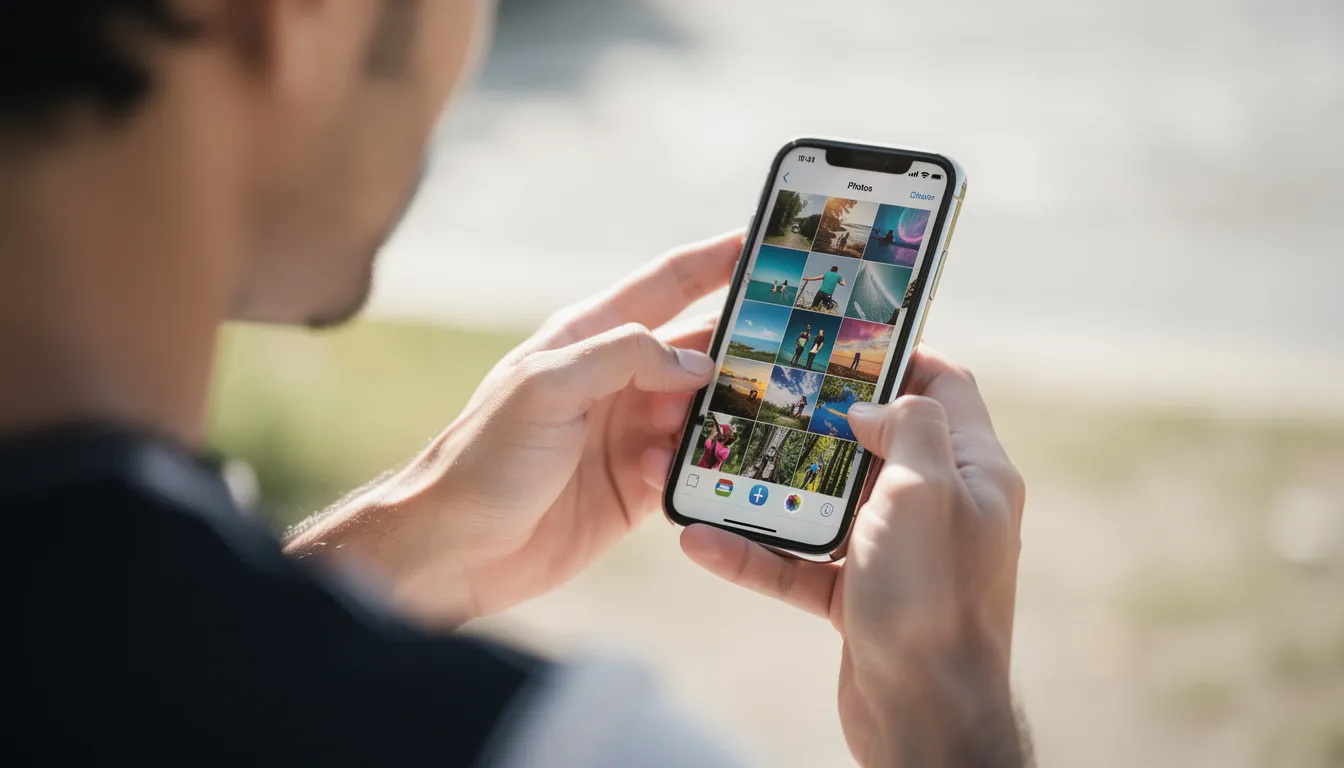
The iOS app brings SafetyCamAI’s match signals directly to your hand, helping you quickly assess identity signals when time matters. Whether you have moments before a meetup or need to make a fast decision about property access, the mobile workflow is built for speed.
Here’s how the search process works:
Upload a face photo from your camera roll or snap a new one
The app scans permitted public sources including news sites, public records, and other lawful databases
Results appear as “match cards” showing thumbnails, confidence scores, and source links
Each card is clearly labeled as an informational safety signal
Review source pages directly from the app to understand context
Results are not definitive identity confirmations. They serve as starting points for your own safety review, not as replacements for traditional background checks or due diligence.
Best results come from clear, front-facing facial images. Whether you’re using a selfie someone sent you, a profile picture from an online platform, or a paused frame from security footage, image quality directly impacts match accuracy.
Getting started takes seconds:
Open SafetyCamAI on your iPhone
Tap the upload button
Choose a photo from your camera roll or capture a new image
Start the scan and wait for results
The app supports both standard photos and extracted frames from video clips. This makes it practical for property managers and security staff who regularly work with camera footage and need quick checks without switching devices.
Tips for better results:
Avoid heavily blurred or low-resolution images
Front-facing angles work better than extreme profiles
Remove images where faces are obscured by masks or sunglasses
Crop to focus on the face when possible
Each possible match includes a confidence score that indicates signal strength. This helps you gauge whether a match warrants further investigation or might be a visual coincidence.
Confidence scores appear as numerical or descriptive indicators on each match card
Every result links back to its original public source page
Source pages provide context like news articles, public notices, or lawful public records
Users can always see where information came from, not just isolated images
These scores are indicators, not proof. The app encourages you to open source pages and understand the full context before acting on any match signal.
The iOS app lets you save screenshots, notes, and source links to build a basic evidence packet directly on your phone. This supports documentation when you need to escalate concerns or collaborate with others.
Export and sharing options include:
Email match summaries to yourself or colleagues
Share via secure messaging apps
Save to cloud drives for team access
Create audit trails for property management records
Example scenario: A landlord screening a potential tenant runs a quick check, saves the match signals with source links, and shares the packet with their legal counsel for review before making a renting decision.
SafetyCamAI for iOS is purpose-built for “Who is this?” safety moments. Unlike generic reverse image tools designed for curiosity or entertainment, this app centers every feature around responsible safety decisions.
Key design differences set it apart:
Safety-focused language throughout the interface
Clear disclaimers about appropriate use
Workflow steps that encourage source review before action
Guardrails against casual misuse or harassment
Guidance on when escalation might be appropriate
The app guides users through responsible steps: upload an image, review confidence signals, open source pages for context, and consider whether further action is needed. The focus remains on investigative safety signals that support better decisions in higher-risk encounters.
The app fits naturally into scenarios Americans face regularly:
Marketplace meetups: Check a seller’s profile photo before meeting in person to buy or sell items
Dating safety: Run a quick search before meeting someone from an online dating platform
Short-term rentals: Verify guest photos before granting property access
Hiring contractors: Review individuals before giving them access to your home
Community concerns: Support safer communities by checking unfamiliar faces in neighborhood watch situations
These checks typically take under a minute and require no specialized training. SafetyCamAI complements—rather than replaces—traditional steps like formal background checks, reference calls, and common-sense precautions.
The iOS interface is optimized for one-handed use with simple upload buttons and clear match summaries that work whether you’re standing in a parking lot or reviewing footage at your desk.

SafetyCamAI previously served users on desktop workstations monitoring camera dashboards. The iOS release extends similar match signals and real time alerts to mobile workflows, letting you run checks from anywhere.
While continuous live monitoring remains more common on workstations, the iOS app excels at:
Fast checks on snapshots and still frames
Quick verification of photos captured from any screen
On-the-go searches when desktop access isn’t available
Field verification for security staff away from central monitoring stations
This flexibility lets American users extend safety checks beyond fixed camera rooms to wherever they have their device.
You don’t need new cameras or complicated integrations. The app works with screenshots or exported frames from existing CCTV systems, NVR setups, or cloud camera applications.
Example workflow: A building manager notices an unfamiliar person on their camera app, takes a screenshot, and immediately uploads it into SafetyCamAI for a quick scan—all without leaving their phone.
This approach keeps setup simple:
No hardware purchases required
No software integrations to configure
Works with any camera system that outputs viewable images
Quick checks feel as natural as sending a photo message
Many safety concerns now surface first on social platforms—posts about suspicious activity, tagged photos, or local community group discussions. SafetyCamAI can help users responsibly review such images when legitimate safety questions arise.
Take publicly visible images from platforms (respecting terms of use) and run them through the app
Look for related public-interest signals that might inform community safety
Share match signals and links to help communities coordinate safer responses
Important: This functionality is intended for public-interest and security purposes only. The app’s guardrails and messaging reinforce that harassment, stalking, or discrimination based on results violates terms of use and may carry legal consequences.
SafetyCamAI for iOS offers a free limited tier for occasional safety checks. For higher-volume or professional use, a paid subscription unlocks expanded access.
Feature | Free Tier | Premium ($9.99/month) |
|---|---|---|
Monthly searches | Limited | Unlimited |
Processing priority | Standard | Priority |
Export options | Basic | Enhanced |
Advanced features | No | Yes |
The subscription auto-renews unless canceled 24 hours before the billing period end. All purchases flow through standard Apple in-app purchase systems. |
Feature
Free Tier
Premium ($9.99/month)
Monthly searches
Limited
Unlimited
Processing priority
Standard
Priority
Export options
Basic
Enhanced
Advanced features
No
Yes
The subscription auto-renews unless canceled 24 hours before the billing period end. All purchases flow through standard Apple in-app purchase systems.
App Store details:
Available in the U.S. App Store
App ID: 6754009630
Age rating: 16+ due to content nature and web access
Developer: ProInstallers LLC (GalaxyTranslate AI by ProInstallers)
The iOS app is engineered to minimize data collection. The developer does not sell personal information or operate a pay-to-remove model that exploits individuals appearing in search results.
What you should know about data privacy:
Images are processed securely for analysis
No personal profile data is stored unless required for subscription management
Basic diagnostics support app functionality
The app explicitly avoids identifying individuals or disclosing personal information
Users can review privacy practices via the App Store’s “App Privacy” section
Where possible, uploaded images are either not retained or retained only for limited periods in line with published policies at safetycamai.com/privacy.
SafetyCamAI is built specifically for safety and security applications with clear guardrails against misuse. Understanding appropriate use helps ensure the app serves its intended purpose.
Permitted uses:
Personal safety checks before meetups or dates
Property protection and tenant screening signals
Community safety coordination
Investigative support for legitimate security concerns
Property managers verifying access requests
What SafetyCamAI is NOT:
A consumer reporting agency under FCRA
A tool for credit, employment, or housing eligibility decisions
A replacement for formal background checks
A facial recognition system that identifies individuals definitively
Users must agree to terms prohibiting harassment, stalking, unlawful discrimination, or abusive behavior based on results. Misuse can be reported through in-app mechanisms.
The app focuses on image-based checks using publicly accessible information. It avoids invasive data aggregation or building hidden personal dossiers on individuals.
Critical context to understand:
Appearance in an arrest photo or mugshots does not imply guilt or conviction
Legal status can change—records may be outdated or expunged
Everyone is entitled to due process and respect
Match signals are informational starting points, not conclusions
The product’s documentation and in-app messaging reinforce cautious, humane interpretation of any results. This approach helps users avoid jumping to conclusions while still benefiting from safety signals.
SafetyCamAI distinguishes itself from exploitative services through transparent business practices:
No charges for individuals to have information removed from external sources
No removal-fee schemes that profit from people’s desire to clear their online presence
No monetization of personally identifiable information through resale
No ad-based targeting of subjects appearing in search results
Availability and functionality may vary by state or jurisdiction based on evolving U.S. privacy and biometrics laws. The company adapts to legal requirements across different areas, ensuring compliance while maintaining core functionality where permitted.

Getting started takes just a few minutes:
Search “SafetyCamAI” in the Apple App Store or download directly from here
Download the app on your iPhone (requires iOS 15.1 or later)
Complete the quick setup process
Accept terms and review the in-app privacy overview
Test with a sample image to understand how match signals work
Explore subscription options if you expect higher usage
Quick onboarding checklist:
[ ] Download and install from App Store
[ ] Review and accept terms of use
[ ] Familiarize yourself with the privacy policy
[ ] Run a test search with a public profile image
[ ] Practice interpreting confidence scores and source links
[ ] Consider premium subscription for professional or frequent use
Start with low-stakes scenarios to become comfortable interpreting results. Try verifying a public profile photo before a meetup, or test with images where you already know the context to understand how the app presents information.
SafetyCamAI puts responsible, AI-assisted safety tools directly in your pocket. Whether you’re meeting someone from an online dating platform, screening a potential tenant, or supporting safer communities through visual verification, the app helps you make better, more informed decisions. Search “SafetyCamAI” in the App Store today and take the first step toward smarter safety choices.
SafetyCamAI is proudly powered by WordPress
“I had clear photos of the person who robbed me. It still wasn’t enough.”
After 23 years as a cybersecurity specialist, our founder was robbed at gunpoint during an online-marketplace meetup. He had clear photographs of the person who did it — and still, no arrest was ever made. The images sat useless while the trail went cold.
SafetyCamAI is the tool he wishes he’d had that day: a way to turn a single clear photo into real match signals from public sources, in seconds — so security teams, investigators, and everyday people can act before a face disappears into the crowd.
Run your first verifications free. No credit card required. Results in 5 seconds.
Try SafetyCamAI free — upload a photo, get results in seconds
Upload any photo and get real-time match signals in under 60 seconds. No credit card, no signup required.
Try Free Lookup Now →