

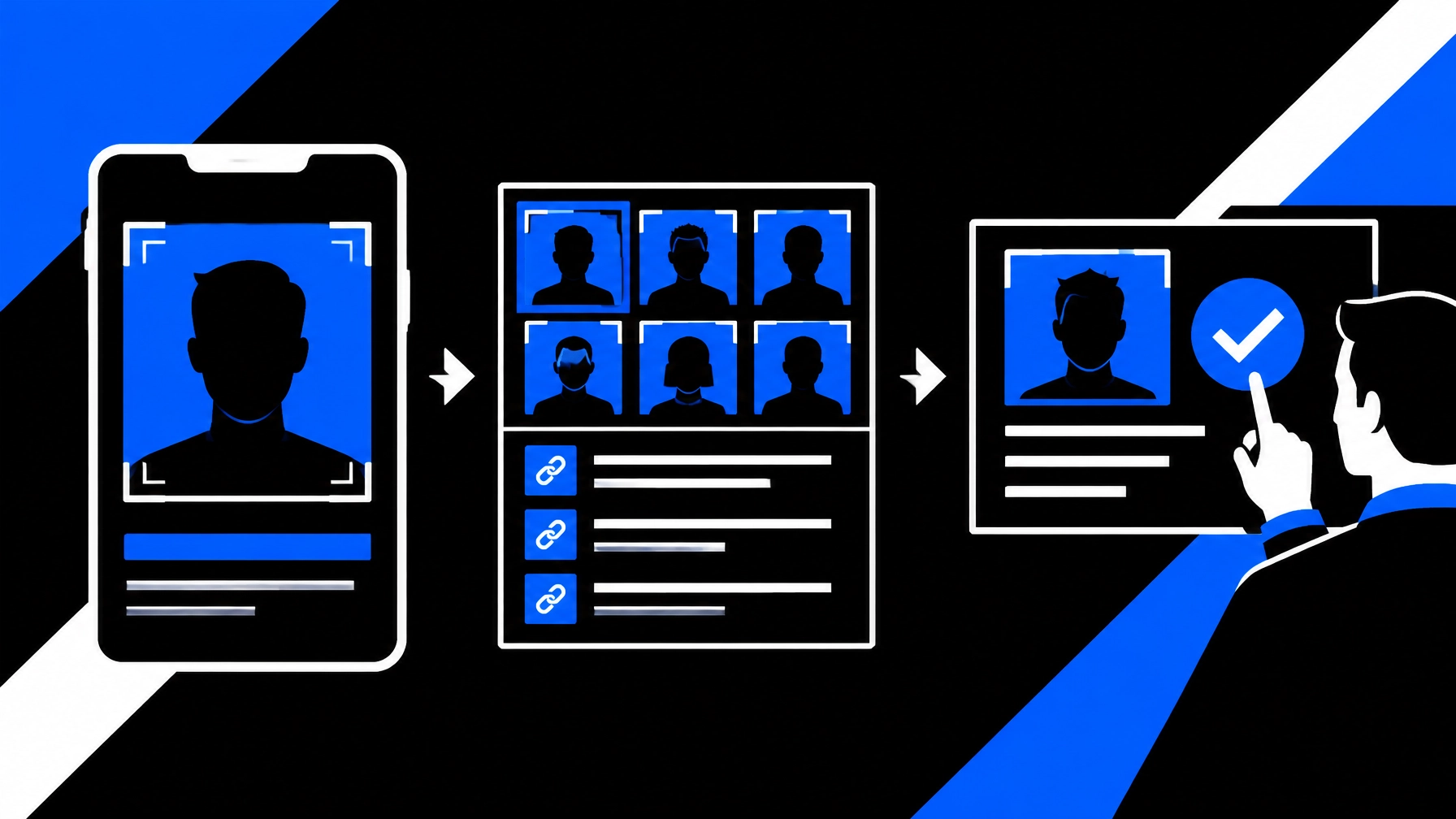
Before meeting someone from a dating app, marketplace, or online community, you can spend five minutes checking whether their photo and public information appear consistent. A reverse image search tool like SafetyCamAI can surface visually similar images from public sources in seconds, with links you can review yourself.
This is a quick screening step, not proof of identity, trustworthiness, or safety. You do not need a paid background check to make a more informed decision about whether to continue a conversation, but a photo search cannot replace good judgment or a safety plan.
Start free: Upload a photo at SafetyCamAI. The free tier includes five lookups per week, with no credit card required.
Your five-minute identity-check workflow
Minute 0–1: Choose a suitable image
Use a clear profile photo or an image the person has shared publicly. If you have a screenshot, crop it so the face is visible without unnecessary personal information. A forward-facing, well-lit image is generally more useful than a distant, blurry, or heavily obscured one.
Only use images for a legitimate safety or verification purpose. Do not upload intimate images, private identity documents, or material you are not authorized to use. Keep the original image if you may need to document where it came from.
Minute 1–2: Run a reverse image search
Open SafetyCamAI, then upload the photo from your phone, a screenshot, or a saved image. You can use the service on iOS, Android, a web browser, or through the Chrome extension. No NVR or other hardware integration is needed.
SafetyCamAI returns visually similar images from publicly available sources in about five seconds. That speed makes it useful for an initial check before a planned meetup or transaction. It does not make the result definitive: image quality, public-source coverage, and the context in which a photo appears all matter.

Minute 2–3: Review the confidence score and open source links
Look at the confidence score alongside the candidate image and its source link. The score is an indication of visual similarity, not a probability that the person’s identity is confirmed.
Open the source pages. Check the name, account, date, caption, and surrounding context. Ask yourself:
- Does the same photo appear under a different name?
- Does it appear on an unrelated profile or public website?
- Is the source old, unclear, or unrelated to the person’s claims?
- Does the page offer context that supports, or conflicts with, the profile?
A result that looks convincing in a thumbnail may be misleading on the original page. Review the source before drawing conclusions. For a deeper explanation of this process, see our guide to online image verification methods.
Minute 3–4: Corroborate claims without overreaching
Compare what you find with information the person has chosen to share: their name, stated city, work or school details, and the timeline of their profile. Look for consistency across independent public sources, not just repeated copies of the same claim.
For example, a photo appearing on an unrelated account under another name is a reason to pause and ask for clarification. It is not, by itself, proof of fraud or wrongdoing. A source page that supports the person’s explanation may reduce that concern, but it still does not confirm who will arrive at the meetup.
Do not collect sensitive details or try to access private accounts. If something conflicts, ask a reasonable question through the platform, or postpone the meeting if the answer does not resolve the issue. The FTC’s guidance on romance scams also recommends caution around online contacts who ask for money.
Minute 4–5: Record the result and choose a proportionate next step
If you need a record, save the relevant screenshot, source link, confidence information, and a short note about what you reviewed. Separate what you observed from what you infer. For instance: “The same image appears on a public profile with a different name” describes an observation; “this person is definitely an impostor” goes beyond what that observation establishes.
SafetyCamAI offers exportable evidence packets with screenshots, source links, and confidence data for workflows that need a more organized record. Use the packet to support review, not as an automatic decision. If the service or your plan does not include export, you can keep a limited, accurate note instead.
Then decide what action fits the evidence. You might continue chatting, ask for a live video call, postpone, or cancel. If you meet, choose a public place, arrange your own transportation, tell someone you trust where you are going, and leave if you feel pressured or uncomfortable.

What a reverse image search can, and cannot, tell you
A reverse image search can find publicly available pages containing the same or visually similar images. It may help you spot a reused photo or find public context that deserves a closer look. It cannot confirm that two images show the same person, that a profile belongs to the person you will meet, or that someone is safe.
A “no results” search is not clearance, either. An image may be absent because it is private, deleted, not indexed, or too different from the version you searched. A positive result may also be a look-alike, an old image, or a page with misleading context. Treat every result as a lead to review, not a conclusion.
If you’re comparing tools, our article on reverse image search for people versus background checks explains why they serve different purposes. SafetyCamAI is not a consumer reporting agency and does not run background checks. Do not use its results for employment, housing, credit, insurance, or other eligibility decisions.
A practical, private way to start
If you only need an initial photo check, you can try SafetyCamAI without committing to a paid background check or plan:
- Five free lookups per week
- No credit card required
- Results in about five seconds
- No NVR or hardware integration
- Available on iOS, Android, web, and Chrome
- Up to 75% cheaper than competitors
SafetyCamAI states that searches are confidential, with no PII monetization or pay-to-remove schemes. Review the Privacy Policy before using the service, and only search when you have a legitimate reason.
Start a free lookup at SafetyCamAI. Review the source links, corroborate important claims, and decide for yourself what to do next.
Android user? Install SafetyCamAI from Google Play:


Frequently asked questions
Can I verify someone’s identity online for free?
You can do a basic public-source check without paying for a background check. SafetyCamAI’s free tier includes five lookups per week and requires no credit card. A free image search can surface useful context, but it cannot confirm legal identity.
Is identity verification software the same as a background check?
No. Identity verification software can describe different tools and processes. SafetyCamAI searches for visually similar images on public sources and provides match signals and source links. It is not a consumer reporting agency and does not provide a background check.
Does a high confidence score prove the person is a match?
No. A score helps you prioritize results for review. It does not prove identity. Open the source link, check the context, compare the information with what you know, and keep your conclusion proportional to the evidence.
What should I do if a result conflicts with someone’s story?
Pause before meeting or sharing more information. Ask for clarification through the platform, consider a live video call, and postpone or cancel if the discrepancy remains unresolved. You do not need proof of wrongdoing to decide that you are not comfortable meeting.