

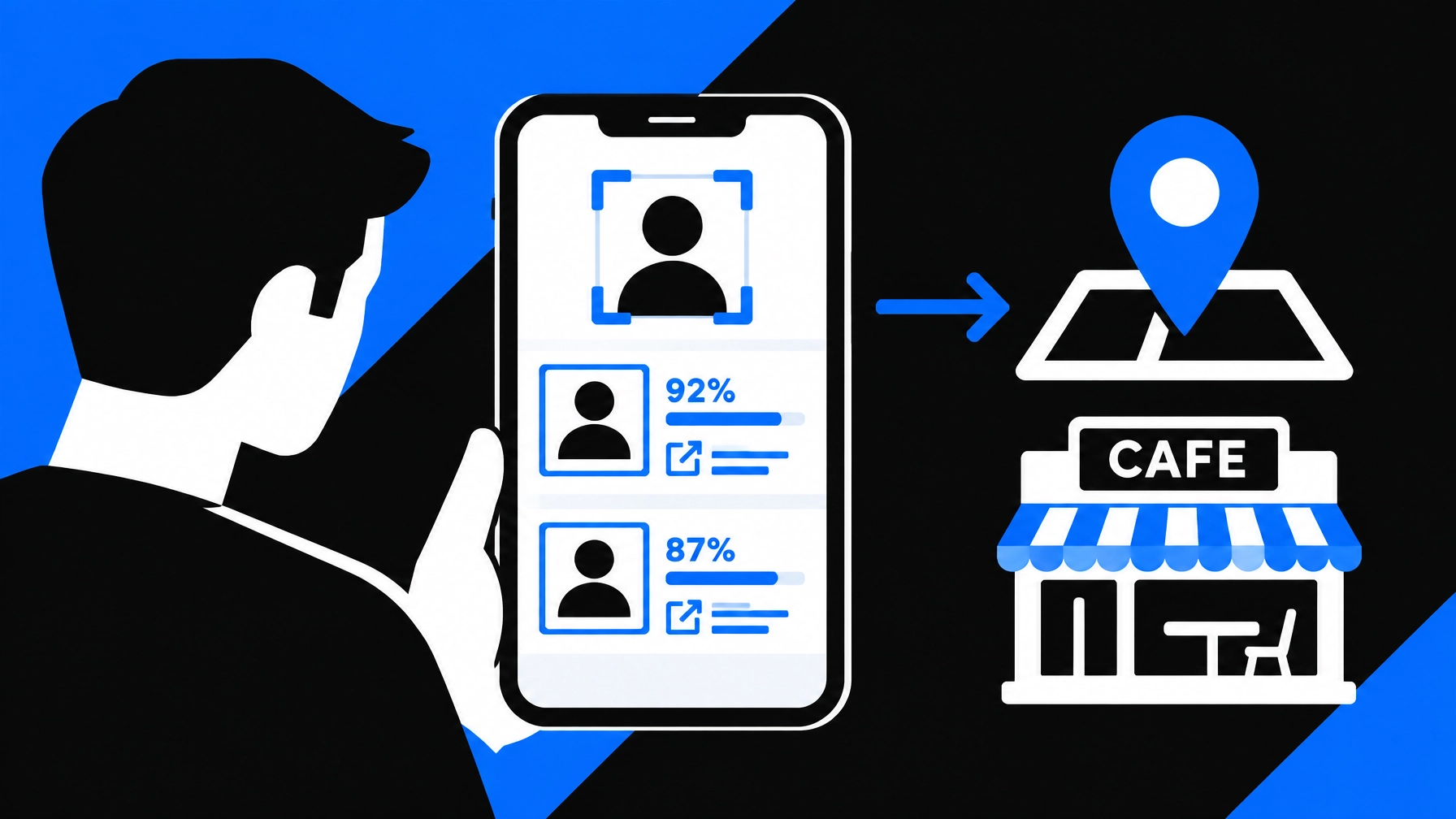
Before you meet someone from a dating app, online marketplace, or classified listing, a reverse image search can help you check whether their profile photo appears elsewhere online. It may surface reused images, conflicting profile details, or public context worth reviewing.
It is a useful first step, not proof of identity or a guarantee of safety. Treat each result as a lead, open its source, and decide what to do based on the full context.
10 things a reverse image search may tell you
1. The photo appears on more than one website
A search may find the same image on social profiles, public websites, or other indexed pages. That gives you places to review, not an automatic conclusion about why the image appears there.
2. The image is attached to different names
One photo appearing with different names or biographies is a reason to pause and ask questions. It could indicate an impersonated profile, but there may be other explanations, such as a repost or an old account.
3. The image may come from a public figure or stock-photo page
A search could surface the photo on a model portfolio, stock-image site, or public figure’s page. If someone presents that image as their own, the discrepancy deserves attention. Confirm it by opening the original page and checking its context.
4. The photo has an older public history
A source page may show that an image was posted years earlier. That may help you evaluate whether a profile’s claims about the photo or timeline are consistent. The date of a webpage is not always the date a photo was taken, so avoid treating it as definitive.
5. A similar-looking image appears, even if the photo is not identical
Reverse image search can return visually similar images, not just exact copies. A similar result may be a different person or a variation of the same photo. Compare the images carefully; similarity alone does not confirm that they show the same person.

6. The same image has been cropped or altered
A copied photo may appear in different crops, sizes, or edits. Those variations can help you find related public pages, but they can also make comparisons harder. Check the full source image when possible, rather than relying on a thumbnail.
7. Public pages provide context to compare with the profile
A source may include a caption, date, account name, or other details. Compare those details with what the person has shared. Look for independent information, too: repeated copies of one claim are not the same as separate confirmation.
8. The search found no indexed match
No results does not mean a profile is genuine. A photo may be private, newly uploaded, removed, cropped, altered, or simply absent from the sources searched. A no-match result is a limit of the search, not clearance to meet without other precautions.
9. A confidence score can help prioritize what to review
Some tools provide a confidence score alongside visually similar results. The score can help you decide which results to inspect first, but it is not the probability that a person’s identity has been confirmed. Review the image and source link together.
10. There is a reason to ask a question, or to slow down
A search can surface a discrepancy that you may want to clarify before sharing more information or meeting. For example, if the same photo appears on a public page under a different name, ask a reasonable question through the platform. If the explanation does not resolve your concern, postponing or canceling is a proportionate choice. You do not need to prove wrongdoing to decide you are not comfortable.
The FBI’s guidance on online dating safety recommends reverse-image searching profile photos and paying attention to inconsistent details. It also advises against sending money or sensitive personal information to someone you have only met online.
How to review a result without overreading it
Start with the clearest photo you are authorized to use. A well-lit, forward-facing image is generally easier to compare than a blurry screenshot or a distant camera frame. Avoid uploading intimate images, private identity documents, or material you do not have a legitimate reason to search.
Then use a simple review process:
- Upload the image. Use a photo from your phone or a screenshot.
- Review the candidates. Compare the image, confidence score, and source link.
- Open the source. Check the page, account, date, and surrounding details.
- Corroborate important claims. Compare with other relevant information, without trying to access private accounts.
- Choose a proportionate next step. Ask a question, arrange a video call, postpone, or stop the interaction.

Keep the distinction clear: a search result is evidence to review, not an interpretation made for you. A match may support a concern, but it may also have an innocent explanation. A missing match does not establish that the profile is authentic.
Use image search as one part of a meetup plan
A photo check cannot tell you who will arrive, whether the person is safe, or what will happen at a meetup. Pair it with practical steps:
- Keep early conversations on the dating or marketplace platform.
- Do not send money, financial details, or sensitive personal information.
- Consider a short live video call before meeting.
- Choose a busy public location and arrange your own transportation.
- Tell someone you trust where you are going and when you expect to check in.
- Leave if you feel pressured or uncomfortable.
For more detail on a quick, careful verification workflow, read How to Verify Someone’s Identity Online in 5 Minutes. To understand how image search differs from formal screening, see Reverse Image Search for People vs. Background Checks.
Try a fast public-source photo check
SafetyCamAI lets you upload a photo from your phone or a screenshot and review visually similar images from publicly available sources, with confidence scores and direct source links. Results typically appear in about five seconds. No hardware or NVR integration is required.
- Free to start: Five lookups per week, no credit card required.
- Private by design: SafetyCamAI states that searches are confidential, with no PII monetization or pay-to-remove schemes.
- Use it where you need it: iOS, Android, web browser, and Chrome extension.
- Keep a record: Exportable evidence packets include screenshots, source links, and confidence data.
- Accessible pricing: SafetyCamAI states it can cost up to 75% less than competitors.
SafetyCamAI is not a consumer reporting agency and does not provide background checks. Do not use its results to make employment, housing, credit, insurance, or other eligibility decisions. Those uses may involve legal requirements that an image search does not satisfy. For more on the distinction, see the FTC’s explanation of consumer reporting obligations.
Start a free lookup at SafetyCamAI. Review the source links, corroborate what matters, and make your own decision.
Android user? Get SafetyCamAI on Google Play:


Frequently asked questions
Can a reverse image search verify someone’s identity?
No. It can surface the same or visually similar images on public sources. It cannot confirm that a profile belongs to the person you will meet.
Does a photo with no search results mean the profile is safe?
No. The image may not be indexed or may have been changed. Use other sensible precautions and do not treat a lack of results as proof.
What should I do if a search finds the photo under a different name?
Open the source and check its context. If the difference remains unexplained, pause before meeting or sharing more information. You can ask a question, arrange a video call, postpone, or cancel.
Is SafetyCamAI a background-check service?
No. SafetyCamAI searches for visually similar images on public sources. It is not a consumer reporting agency and should not be used for regulated eligibility decisions.