

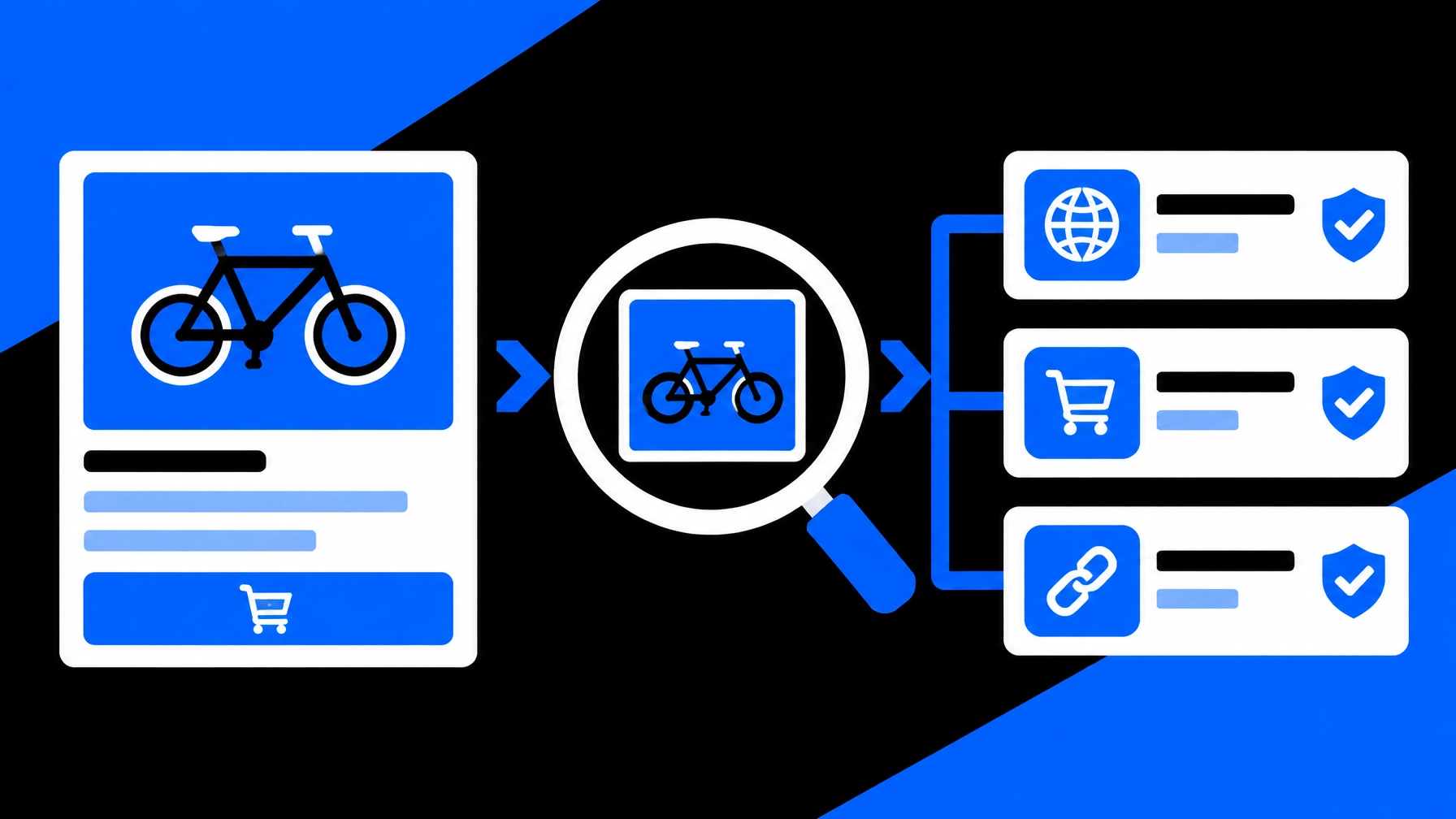
A reverse image search can help you check whether a seller’s listing photo appears elsewhere online before you arrange a meetup. It may reveal an older listing, a different location, or a stock image. These are reasons to review and ask questions, not proof that a seller is committing fraud.
Use image search as one part of a careful transaction. Review the listing, keep communication on the marketplace, plan a safe meeting, and inspect the item before you pay.
Start with the listing, not just the seller’s photo
Look for inconsistencies before you search. A price far below comparable items, pressure to act immediately, evasive answers, or a request to move payment off-platform can warrant extra caution. None proves a scam on its own. Together, they may justify slowing down and verifying more carefully.
The FTC’s guide to buying from online marketplaces recommends checking the marketplace’s payment protections and being cautious about payment methods that are difficult to reverse. Keep your messages and transaction details on the platform when possible. Do not share one-time codes, passwords, or unnecessary financial information.
Before you meet, ask the seller for current photos of the actual item. Request a specific angle or detail, such as a close-up of a model label. For higher-value electronics, ask whether the device can be tested and whether it is account-locked. A seller’s response is useful context; it is not an identity check.
Run a reverse image search on the listing photo
Search a clear image that you have a legitimate reason to review. Use the listing photo or a screenshot, and avoid uploading unrelated personal details. If the photo includes private information, crop it out before searching.
A reverse image search looks for identical or visually similar images on available sources. It may surface older listings, public pages, or copies of the image elsewhere. SafetyCamAI returns results with confidence scores and direct source links, typically in about five seconds. You can upload from a phone, browser, or screenshot; no NVR or other hardware integration is needed.

Follow a consistent review process:
- Upload the photo. Choose the clearest listing image you are authorized to use.
- Review candidate matches. Compare the images and confidence information; similarity is a signal, not a conclusion.
- Open the source pages. Check the dates, descriptions, locations, and surrounding context.
- Compare the details. Ask whether the source matches the item and seller’s explanation.
- Decide what to do next. Ask for fresh photos, clarify a discrepancy, choose a safer transaction plan, or walk away.
SafetyCamAI is available on iOS, Android, web, and Chrome extension. The free tier includes five lookups per week with no credit card required.
Treat a match as a question to investigate
A result can be useful without being definitive. For example, the same photo appearing in an older listing from another city may suggest that the seller does not have the item. It could also be a reused manufacturer image or a listing copied for another reason. Open the source and compare the full context before deciding what it means.
Ask the seller for a fresh photo that shows the item from a requested angle, perhaps with a note containing the current date. Compare it with the listing. For a device, ask for the model or serial information when appropriate, and check whether the item can be inspected and tested in person.
A search with no match is not clearance. The photo may not be indexed, may have been edited, or may not be available to the sources searched. Likewise, a visually similar result may show a different item or person. Keep the distinction clear: the search surfaces leads; you review and interpret them.

Make the meetup and payment plan part of verification
A photo check cannot guarantee that the person who arrives is the account holder or that the transaction will be safe. Reduce risk with practical steps:
- Keep communication on-platform. Avoid unexpected links and pressure to move to private messaging or payment.
- Choose a public meeting place. Use a busy, well-lit location or a designated safe-exchange area, if available.
- Tell someone your plan. Share the time, place, seller profile, and item; arrange a check-in.
- Inspect before paying. Confirm that the item matches the description and test it when reasonable.
- Use a protected payment method. Avoid gift cards, cryptocurrency, wire transfers, or deposits before seeing the item.
- Leave if the plan changes under pressure. You can cancel a meeting if the seller changes the location, refuses a reasonable inspection, or demands payment first.
For a discrepancy that remains unresolved, you do not need to prove wrongdoing to decide not to proceed. Pause, ask a reasonable question, or walk away.
Preserve useful records without overclaiming
If a search result affects your decision or may need later review, save the listing, relevant source links, screenshots, and a short note describing what you observed. Separate observations from conclusions. “The same image appears in an older listing with a different location” is specific; “the seller is a scammer” goes beyond what an image match establishes.
SafetyCamAI offers exportable evidence packets with screenshots, source links, and confidence data. These can help organize a record, but they do not convert a match into proof. Keep only information relevant to the transaction, and handle it responsibly.
SafetyCamAI states that searches are confidential, with no PII monetization or pay-to-remove schemes. Review the Privacy Policy and use image search only for a legitimate purpose.
Try a quick photo check before you meet
You can use SafetyCamAI to review visually similar images from public sources, open the source links, and decide whether further verification makes sense.
Free to start. Five lookups per week. No credit card. Results typically in about five seconds. No hardware required.
Start a lookup at SafetyCamAI. Review the source. Corroborate what matters. Make your own decision.
Android user? Get SafetyCamAI on Google Play:

Frequently asked questions
Can reverse image search tell me if a marketplace seller is a scammer?
No. It may surface reused or visually similar photos and public context to review, but it cannot establish intent or prove fraud. Compare the source details with the listing and ask for fresh evidence before deciding.
What if the listing photo appears in another city?
Open the source and check its date, description, and context. Ask the seller for a current photo of the actual item. If the explanation does not resolve the discrepancy, consider postponing or canceling the transaction.
Does no result mean the listing is legitimate?
No. Images may not be indexed or may differ from the searched version. A no-match result is a limit of the search, not confirmation that a seller or listing is genuine.
Is SafetyCamAI a background-check or consumer reporting agency?
No. SafetyCamAI searches for visually similar images on public sources and provides signals for human review. It is not a consumer reporting agency and does not provide a consumer report.
FCRA and eligibility disclaimer: SafetyCamAI is not a consumer reporting agency under the Fair Credit Reporting Act (FCRA), and its search results are not consumer reports. Do not use SafetyCamAI results as the sole basis, or as a basis, for decisions about a person’s eligibility for housing, employment, credit, insurance, or other covered purposes. Use an appropriate, compliant process when a formal screening decision is required.