Category: Uncategorized

  • Best Software for Security Evidence

    Best Software for Security Evidence

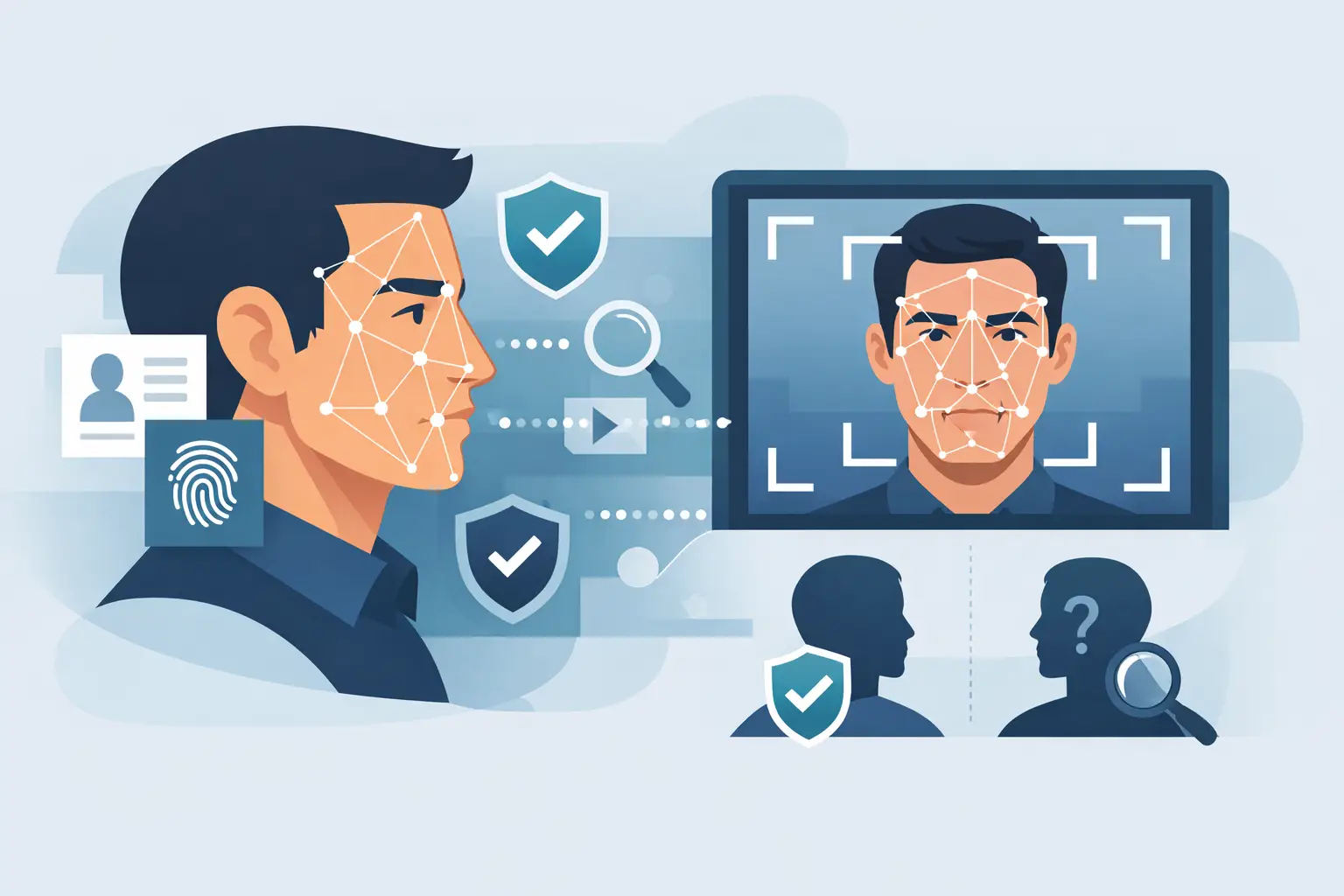
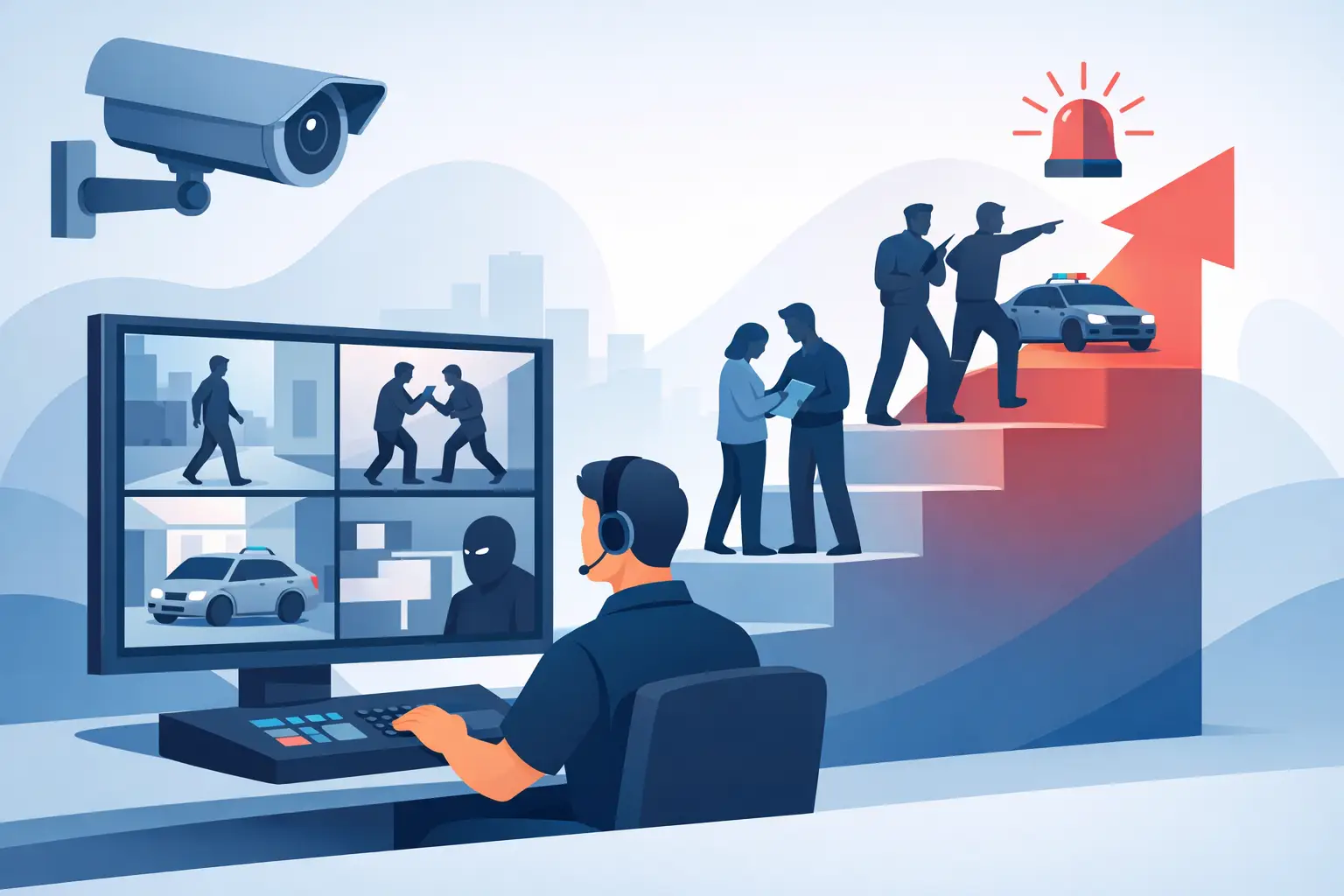
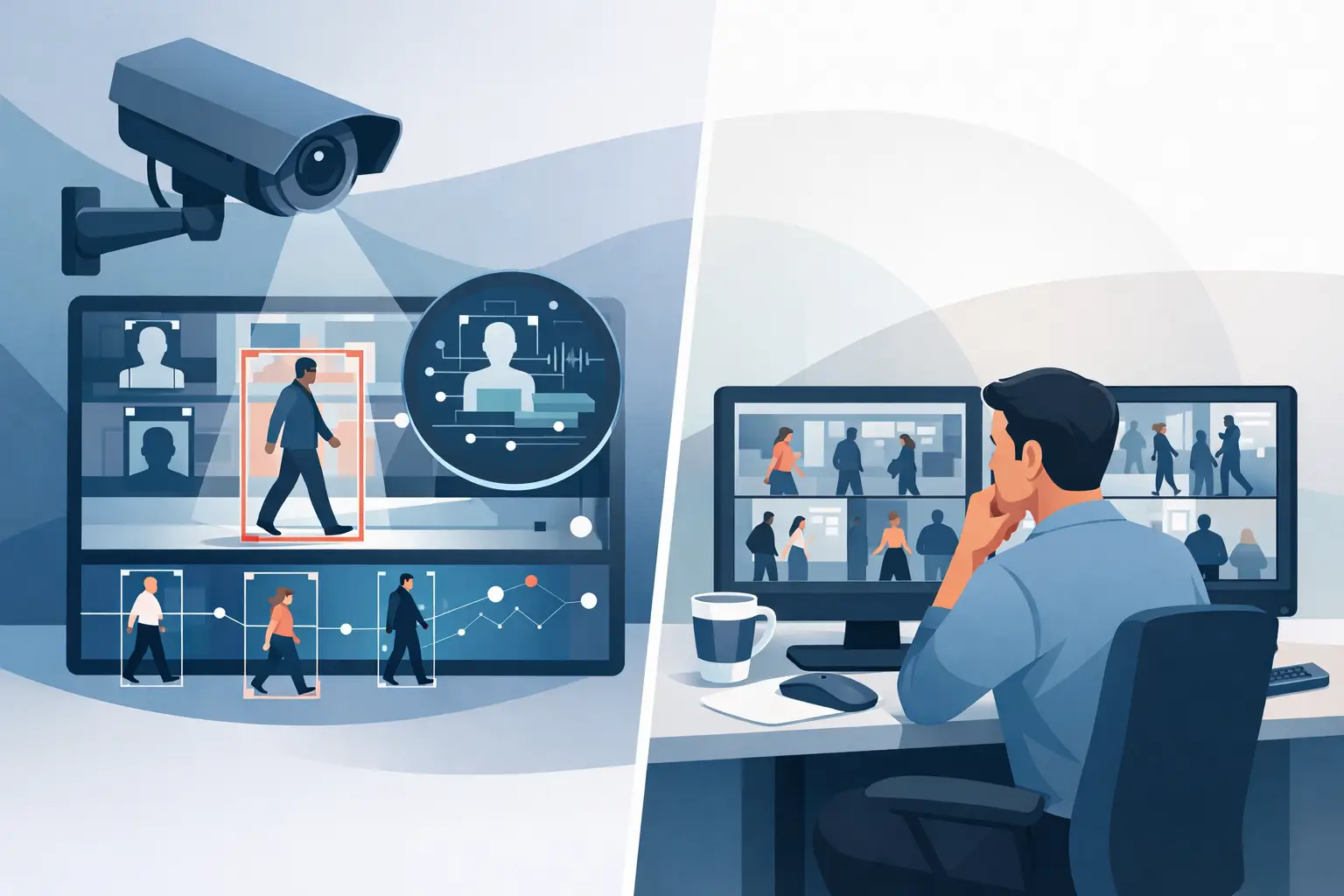
    A blurry face from lobby CCTV. A suspicious visitor photo from a resident. A social post tied to an incident that may or may not matter. In security work, the gap between seeing something and proving something is where cases stall. That is why choosing the best software for security evidence is less about flashy features and more about whether your team can verify faster, document cleanly, and escalate with confidence.

    For investigators, property managers, and corporate security teams, evidence software has one job: turn scattered inputs into defensible records. If the platform cannot preserve context, support human review, and produce audit-friendly exports, it is not helping your operation. It is adding friction.

    What the best software for security evidence actually needs to do

    Security evidence is not one file type and not one workflow. A real case may involve CCTV stills, phone photos, timestamps, notes from staff, screenshots, and open-source findings that help validate identity or context. Good software has to handle that mess without losing chain of reasoning.

    The strongest tools do three things well. First, they help teams collect and organize evidence quickly while preserving source details. Second, they support verification instead of guesswork, especially when an image or lead needs review before any action is taken. Third, they make handoff easier, whether the next step is an internal incident report, a client update, or law enforcement escalation.

    This is where many general-purpose tools fall short. A basic file repository can store images, but storage is not evidence management. A generic case platform may be useful for notes and tasking, but it may not help when the critical question is whether the person in a CCTV frame matches a known source image, or whether the material is documented well enough to stand up to scrutiny later.

    The main categories of security evidence software

    If you are evaluating options, it helps to separate the market into categories instead of looking for one label.

    Case management platforms

    These platforms are built to organize incidents, attach files, assign tasks, and track progress. They are useful when your team handles large volumes of reports or needs standardized workflows across multiple staff members or locations. Their strength is operational consistency.

    The trade-off is that many case tools are weak on verification. They can store a CCTV still, but they may not help you do anything with it beyond attaching it to a record. If your biggest bottleneck is proving who someone is or validating whether a lead deserves escalation, a case platform alone will not solve the problem.

    Digital evidence management systems

    These systems focus on preserving files, metadata, access logs, and chain-of-custody records. They are common in environments where legal defensibility and retention controls matter. For some teams, especially those coordinating with attorneys, law enforcement, or internal compliance, that structure is valuable.

    The trade-off is speed. Evidence management systems can be excellent for storage and audit history, but slow for frontline triage. If your team needs to make decisions in minutes, not days, they may feel too heavy unless paired with a faster verification layer.

    Image and video investigation tools

    These tools are designed for extracting value from visual evidence. That may include frame review, enhancement, object analysis, or facial matching against permitted public sources. For security teams dealing with unidentified persons, this category often has the highest operational value because it addresses the first real question in an incident: who is this, and is there enough signal here to act?

    The trade-off is that some tools in this category overpromise automation. Security teams should be skeptical of black-box claims. A better fit is a human-in-the-loop workflow where the system produces confidence-scored signals, source context, and exportable findings, while the operator reviews and validates before making any decision.

    How to judge the best software for security evidence in practice

    The right choice depends on your workflow, but the evaluation criteria are fairly consistent.

    Verification quality matters more than raw search volume

    A bigger database or more sources does not automatically mean better outcomes. In security work, false confidence is expensive. It wastes staff time, muddies case files, and creates avoidable risk. What matters is whether the software gives you usable signals with enough source detail to review the result, not just a name or a vague claim.

    This is especially true for facial matching. A responsible platform should support image-first workflows, show confidence levels, preserve source links or source context, and make clear that matches are leads for review, not final conclusions. That approach fits the public-interest lane professionals operate in and helps teams stay disciplined.

    Audit-ready exports save time later

    Many buyers focus on the moment of search and ignore the moment after. But the real test comes when a supervisor, client, or outside partner asks what you found and how you found it. If your software cannot package screenshots, timestamps, notes, and supporting context into a clean export, your team will rebuild the case manually.

    That is wasted effort, and it introduces avoidable inconsistencies. Good evidence software should help you move from triage to documentation without forcing your staff into copy-paste reporting.

    Speed should not come at the cost of guardrails

    Security teams often work under pressure. A trespass incident, a workplace threat, or recurring property damage may demand immediate review. Fast software matters. But speed without guardrails creates downstream problems.

    The best platforms are explicit about lawful use, review requirements, and access controls. They are built for professional users, not broad consumer screening. That distinction matters because security evidence software should support verification and escalation workflows, not encourage unsupported decisions or misuse.

    It should fit your existing intake process

    Most teams are not rebuilding their entire stack for one tool. They are starting with what they already have: phone photos, emailed screenshots, CCTV exports, resident complaints, incident logs, and browser-based research. The best software fits into that reality.

    If a platform requires major camera integrations, long deployment cycles, or specialized technical staff just to get useful output, it may be a poor fit for lean teams. In many cases, upload-based workflows and browser-based monitoring are more practical because they reduce setup time and let staff act on incidents immediately.

    What different teams should prioritize

    Private investigators usually need fast image-based verification, source documentation, and evidence exports that can be handed to clients or attached to case files. Their software should help separate weak signals from useful ones quickly.

    Property managers and regional security teams often need something slightly different. They deal with recurring incidents across multiple sites, mixed staff skill levels, and a constant need to document why a situation was escalated. For them, usability and consistent reporting matter just as much as search capability.

    Corporate security teams may place more weight on controls, permissions, and internal review standards. They often need software that supports escalation paths and creates a clear audit trail for higher-risk matters.

    That is why there is no single winner for every environment. The best software for security evidence is the one that matches your intake volume, your evidence types, your review discipline, and your tolerance for operational drag.

    Where specialized tools stand out

    Specialized platforms tend to outperform generic tools when the evidence starts with an image and the priority is verification. That is where an image-only, human-in-the-loop system can be more useful than a broad people-search product or a generic case platform.

    For example, SafetyCamAI is built around a workflow many security teams already follow: upload a face photo or CCTV frame, review confidence-scored match signals from permitted public sources, validate with source context, and export evidence for triage or escalation. That matters because it reflects how professional users actually work. The goal is not to produce unsupported certainty. The goal is to verify people faster, document what was found, and act within compliance guardrails.

    That verification-first model is often a better fit than consumer-oriented tools that are built for broad lookup rather than operational security use. In this space, discipline is a feature.

    A better buying question

    Instead of asking which platform has the most features, ask a harder question: when your next incident lands, will this software help your team make a cleaner decision with better documentation in less time?

    If the answer is yes, you are probably looking at a serious candidate. If the answer depends on extra manual work, outside tools, or too much trust in automation, keep looking. The best security evidence software should reduce uncertainty, not repackage it.

    The strongest systems help professionals move from image to signal to evidence without losing control of the process. That is the standard worth buying against.


  • A Guide to Public Source Investigations

    A Guide to Public Source Investigations

    A blurry face from a lobby camera. A screenshot from a resident complaint. A tagged social post tied to a disturbance. In all three cases, the pressure is the same: verify fast, document what you found, and stay inside lawful, defensible boundaries. That is exactly where a guide to public source investigations matters.

    For security teams, investigators, and property operators, public source work is not about curiosity. It is about triage. You are trying to decide whether a person, image, or online signal warrants escalation, internal reporting, or no action at all. The quality of that decision depends less on how much data you collect and more on whether you can validate what you found, explain how you found it, and show that a human stayed in the loop.

    What a guide to public source investigations should actually cover

    A useful guide to public source investigations starts with scope. Public source investigations rely on information that is lawfully accessible from public-facing sources, not closed databases, pretexting, or backchannel collection. That distinction matters because it defines both your speed and your risk.

    In practice, public source work often begins with a trigger: a face captured on CCTV, an image from a phone, a username, a business listing, or a post connected to an incident. The objective is not to build a life profile on someone. The objective is narrower and more operational: verify whether the subject is tied to relevant public-facing content, identify corroborating context, and package the findings so they can be reviewed and acted on appropriately.

    That narrower objective keeps teams in the public-interest lane. It also improves quality. When investigators chase every available clue, they often collect noise. When they work from a defined incident question, they are more likely to find evidence that can survive scrutiny.

    Start with the incident question, not the tool

    Bad investigations usually start with a search feature. Better ones start with a clear question.

    Are you trying to identify an unknown individual connected to trespassing at a property? Are you testing whether a social profile is likely connected to the same person seen on camera? Are you checking whether an image has enough support to justify escalation to management, counsel, or law enforcement? Each question requires a different depth of review.

    This is where many teams lose time. They collect screenshots, run broad searches, and end up with a pile of partial matches and weak assumptions. A tighter approach is to define three things at the outset: what you know, what would count as useful confirmation, and what action the result could support. If no realistic action can follow, the investigation may not be worth expanding.

    Build from the strongest starting artifact

    In public source investigations, the starting artifact determines the quality of the outcome. A clean face crop from CCTV, a clearer still from a phone video, or an uncompressed profile image will usually produce better signals than a vague textual description.

    Image-led workflows are especially valuable when names are unknown, aliases are common, or the subject has little structured data attached to them. But image-first does not mean image-only. A likely visual match should still be tested against context: location, timeframe, associated usernames, recurring photos, social activity, employer references, or other public-facing details that align with the incident.

    Trade-offs matter here. A wider net may produce more candidate matches, but it also increases review burden and false positives. A narrower search may miss a real lead if the image is poor or outdated. That is why confidence scoring helps, but it does not replace judgment. Match signals are leads for review, not final conclusions.

    Verification is the work

    The central discipline in public source investigations is verification. Not collection. Not automation. Verification.

    A candidate profile, image set, or source page becomes useful only when it can be tied back to the incident with enough supporting detail to justify the next step. Sometimes that support is strong and direct, such as a matching face across multiple public images plus location overlap. Sometimes it is weaker, such as visual similarity without meaningful contextual confirmation. Those are not the same result, and they should not be documented the same way.

    A practical verification workflow usually follows a simple sequence. First, isolate the best source image or frame. Second, run it across permitted public sources and gather candidate signals. Third, review each candidate manually for consistency in facial features, timing, geography, and surrounding context. Fourth, preserve the relevant source material with timestamps, screenshots, and notes about why it matters. Fifth, state clearly what is confirmed, what is only suspected, and what still requires review.

    That distinction between confirmed and suspected protects your team. It also protects the integrity of the case. The fastest way to weaken an incident file is to overstate what the evidence shows.

    Why documentation matters as much as matching

    Operational teams often focus on finding the match and treat documentation as cleanup. That is backwards.

    If your findings may be handed to leadership, a client, legal counsel, or law enforcement, your documentation is part of the product. It should show the source reviewed, the date accessed, the image or page captured, the basis for relevance, and the analyst’s confidence level. If there were conflicting indicators, note them. If identity remains unconfirmed, say so plainly.

    This is also where auditability becomes more than a compliance talking point. An investigation that cannot be reconstructed is hard to defend. If another reviewer cannot follow the path from incident trigger to source evidence, your process is too loose.

    A strong evidence package does not need to be complicated. It needs to be coherent. The reader should be able to understand what happened, what was searched, what was found, and why the result did or did not justify escalation.

    Compliance guardrails are not optional

    Public source investigations move quickly, which is exactly why guardrails matter. Teams under pressure are more likely to blur lines between operational review and improper downstream use.

    At a minimum, teams should be clear about permitted use cases, retention practices, review requirements, and escalation thresholds. They should also understand what the tool or workflow is not for. A verification platform used to support incident triage is not the same as a consumer reporting product, and it should not be treated like one. Identity signals from public sources should support lawful review, not replace policy, due process, or human judgment.

    This is especially important in property operations and security environments where decisions may affect access, incident response, or law enforcement contact. A public source match can help clarify whether a lead deserves attention. It should not be used as a shortcut around validation.

    That is why the human in the loop model is the right standard. Automation can surface possibilities faster than manual search alone, especially from poor-quality CCTV or partial social content. But a trained reviewer still needs to assess whether the signal is credible, relevant, and appropriate to act on.

    Where teams get the most value

    The best public source investigations are not the longest ones. They are the ones that answer an operational question quickly enough to matter.

    For a property manager, that may mean determining whether a repeat nuisance incident is tied to the same individual appearing in resident-submitted footage and public social content. For a corporate security team, it may mean verifying whether a person tied to a threat post appears to match someone seen near a site. For a private investigator, it may mean using a single image to develop a lawful lead that can be corroborated before reporting.

    In these moments, speed matters, but defensibility matters more. A fast answer that cannot be validated creates exposure. A slightly slower answer with preserved source evidence, confidence notes, and a clear escalation path is usually the better operational result.

    That is the value of a workflow-centric platform like SafetyCamAI when used correctly: upload a face image or CCTV frame, review confidence-scored public source signals, validate manually, and export evidence for the case file. The point is not just to search faster. The point is to verify people faster without losing discipline.

    The standard to hold yourself to

    If you are building or refining a public source process, the standard is simple. Can your team take an image from a real incident, generate lawful and relevant leads, verify those leads with context, and document the outcome in a way that another reviewer would trust?

    If the answer is yes, your process is doing its job. If the answer depends on memory, guesswork, or unsupported assumptions, tighten it now. Public source investigations work best when they stay narrow, evidence-led, and reviewable.

    The pressure to act will always be there. The advantage comes from being the team that can act quickly without getting careless.

  • Chrome Monitoring Extension vs Camera Integration

    Chrome Monitoring Extension vs Camera Integration

    When an incident is already moving, the wrong technical choice costs time twice – once during setup, and again during review. That is why the question of chrome monitoring extension vs camera integration matters so much for investigators, security teams, and property managers who need to verify a face, assess risk, and document what happened without stalling operations.

    At a glance, both approaches can support image-based monitoring. But they solve very different operational problems. A Chrome-based monitoring workflow is usually faster to deploy, easier to control at the user level, and better suited to teams that work from live dashboards, VMS screens, social posts, and browser-accessible CCTV feeds. Camera integration, by contrast, is usually deeper, more centralized, and more dependent on infrastructure, IT alignment, vendor compatibility, and ongoing maintenance.

    If your goal is to turn photos and CCTV frames into actionable safety signals, the better option depends less on abstract technology preferences and more on where your team actually does its work.

    Chrome monitoring extension vs camera integration: what changes in practice

    The biggest difference is where the monitoring layer lives. A Chrome monitoring extension operates at the screen or browser level. It can help users review what is already being displayed in a browser-based environment, capture frames, and move quickly into a verification workflow. That is valuable when teams already rely on web-based camera portals, incident review dashboards, access logs, property management tools, or social content visible in the browser.

    Camera integration lives inside or alongside the camera ecosystem itself. It often means connecting directly to camera hardware, a video management system, or an NVR environment. This can provide more persistent automation, but it also introduces more dependencies. Every dependency creates a decision point: which camera vendors are supported, who manages credentials, how footage is routed, what approvals are required, and who owns maintenance when something breaks.

    That trade-off matters because many professional users do not need a full rebuild of their camera stack. They need a faster path from image capture to review, validation, and escalation.

    Where a Chrome-based workflow wins

    For many frontline teams, speed of deployment is the deciding factor. A Chrome extension can often fit into existing workflows without asking operations to replace cameras, reconfigure networks, or wait for a hardware project. If a property manager is already reviewing lobby or parking footage through a browser portal, a screen-based workflow can be practical almost immediately.

    This is especially useful in distributed environments. A regional property group, a contract investigation team, or a corporate security function with multiple sites may not control every camera system directly. They may inherit a mix of vendors, portals, and user permissions. In that reality, browser-level monitoring is often more realistic than demanding a clean integration across every location.

    There is also a workflow advantage in review and triage. Investigators rarely work from camera feeds alone. They move between CCTV, incident reports, screenshots, social posts, tenant complaints, badge events, and exported frames. A browser-centered approach keeps the analyst in the same operating environment, which can reduce friction when the job is to verify quickly and package evidence for a handoff.

    Cost and rollout complexity matter too. Camera integrations can become infrastructure projects. Extensions are usually closer to software deployment. That changes procurement, training, and time to value.

    Where camera integration still makes sense

    There are cases where direct integration is the stronger choice. If a security operation needs persistent, always-on ingestion from a stable fleet of supported cameras, integration may offer stronger centralization. Large enterprises with dedicated IT, standardized camera infrastructure, and a clear automation roadmap often benefit from that model.

    A direct camera connection can also make sense when the organization wants system-level processing rather than analyst-driven review. If the priority is broad environmental coverage across fixed assets and the technical team can manage the implementation, integration may support more continuous workflows.

    But this is where discipline matters. More technical depth does not always mean better operational outcomes. Some teams overbuild because integration sounds enterprise-grade, then discover that deployments stretch for months while the incident-review team still relies on screenshots and manual exports.

    If your staff needs fast verification today, a future-state integration project may not solve the current problem.

    Speed, control, and accountability

    In a security context, faster is only useful if it stays reviewable. That is one reason the chrome monitoring extension vs camera integration decision should not be framed as convenience versus seriousness. A browser-based approach can still support disciplined, audit-friendly workflows when it is designed for human review, evidence capture, and controlled use.

    That distinction matters. Professional users do not need a black box making final decisions. They need confidence-scored signals, source context, and a human in the loop who can decide whether an image merits escalation. This is particularly important when working from imperfect inputs like CCTV frames, side angles, low light, or partial face visibility.

    A camera integration may automate more of the input side, but it does not remove the need for validation. False confidence is a bigger risk than slower collection. For teams handling incidents, trespass concerns, suspicious activity, or identity verification, the process has to stay defensible.

    Compliance is not optional

    This topic is not just about IT architecture. It is also about lawful use, internal controls, and evidentiary discipline. A browser-based monitoring workflow can be easier to scope around specific users, specific review tasks, and specific cases. That can help organizations limit access, document intent, and keep the activity inside a public-interest lane.

    Direct camera integration can expand data flow quickly. That is not automatically a problem, but it can increase questions around retention, access management, and use boundaries. The more footage and systems you connect, the more governance you need.

    For professional teams, the right question is not simply, Can we integrate? It is, Can we operate this responsibly, document it properly, and keep a human in the loop? That mindset separates a verification workflow from a casual people-search habit. It also aligns with organizations that need to move quickly without acting recklessly.

    Which option fits each type of team

    Private investigators often benefit from a Chrome-centered workflow because their work is case-driven, source-diverse, and fast-moving. They need to capture, compare, verify, and export findings without waiting for technical onboarding across a client camera environment.

    Property managers and regional operators usually face a similar constraint. They may oversee multiple buildings with different camera vendors and varying levels of local support. In those conditions, browser-level monitoring is often the shortest path to practical incident review.

    Corporate security teams are more mixed. If they have a mature security operations function and standardized infrastructure, direct integration may be worth the effort. If they are still managing fragmented systems or need immediate triage capability across browser-based tools, an extension may produce value faster.

    For mixed environments, the smartest answer is sometimes both – but in phases. Start with the workflow that helps analysts review and verify now. Add deeper integration later if the operational volume and technical stability justify it.

    The better question to ask before you choose

    Instead of asking which model is more advanced, ask which one reduces time from image capture to responsible action. That is the measure that actually affects security outcomes.

    If your team lives in browser-based camera portals, incident dashboards, and web-accessible review tools, a Chrome extension is often the more practical fit. If your organization controls a standardized camera estate and has the resources to support a deeper deployment, integration may deliver broader automation.

    What should not change is the standard of use. Face-based review should support verification, not shortcut it. Tools should help teams surface actionable signals, preserve source context, and package evidence cleanly for internal review or escalation. That is the lane serious operators should stay in.

    For many teams, especially those under pressure to move now, the most effective system is the one that fits the workflow already in front of the analyst. SafetyCamAI reflects that reality by supporting screen-based monitoring and evidence-driven review for professional users who need speed, control, and compliance guardrails without waiting on a camera overhaul.

    Choose the path that your team can actually use well, because the safest workflow is rarely the most complicated one – it is the one that helps your people verify faster and act with confidence.

  • Surveillance Investigation Software Review

    Surveillance Investigation Software Review

    A blurry hallway frame at 2:13 a.m. is not a lead. It is a starting point. That is the real test behind any surveillance investigation software review: can the platform turn weak visual evidence into something operationally useful without pushing teams into sloppy decisions, compliance exposure, or dead-end searches?

    For investigators, security teams, and property managers, the answer is rarely about who has the flashiest dashboard. It comes down to whether the software helps you verify faster, document cleanly, and escalate only when the facts support it. In practice, that means image quality handling, source transparency, audit trails, and a human-in-the-loop workflow matter more than broad marketing claims.

    What a surveillance investigation software review should actually measure

    A lot of software in this category gets evaluated like a general OSINT tool or a consumer people-search product. That is a mistake. Surveillance-led investigations start with partial images, off-angle faces, time pressure, and internal reporting needs. The software has to perform under those conditions.

    The first question is whether the platform is built for image-first verification or just adapted to it. If your team is pulling stills from CCTV, lobby cameras, parking lot footage, or social posts tied to an incident, the workflow should begin with upload and analysis, not with a name, phone number, or email. Tools that rely on text identifiers may look broad on paper but slow down quickly when the only thing you have is a face crop from video.

    The second question is source defensibility. Fast matches are useful only if the investigator can see where the signal came from and whether it belongs in a lawful, professional review process. Confidence scoring, source visibility, and exportable evidence all matter here. If a platform gives you a result but not a clear path to validate it, your team is left with noise instead of intelligence.

    The third question is whether the software understands operational boundaries. Security teams do not need a tool that invites overreach. They need a platform that supports public-interest lane investigations, keeps a human in the loop, and helps the team review findings before acting. That is especially important when results may inform trespass reviews, workplace safety checks, incident triage, or property access investigations.

    The core features that matter most

    In any serious surveillance investigation software review, image matching quality should sit at the top. Not because matching is the only feature that matters, but because everything else depends on it. A weak match engine creates wasted time downstream. Teams end up checking irrelevant sources, writing around uncertain findings, or escalating incidents they should have closed.

    Good matching quality is not just about precision in ideal portraits. It is about usefulness under real surveillance conditions. That includes partial occlusion, variable lighting, low-resolution crops, and motion blur. No platform will make every frame usable. The better ones help users understand which frames are worth running and which ones are too compromised to support confident review.

    Evidence packaging is next. This gets overlooked by buyers who focus too much on search speed. In the field, a result only becomes useful when it can be documented, passed to a supervisor, or retained in an incident file. Exportable evidence with timestamps, source references, and match context saves time later and reduces rework. It also makes internal escalation cleaner when multiple people need to assess the same incident.

    Workflow fit matters just as much. If your team has to rebuild the case in another system every time you get a match, the software is creating friction instead of removing it. The strongest products support a simple chain: upload, review confidence-scored signals, validate the context, package evidence, and act according to policy.

    Where many tools fall short

    The biggest problem in this category is false confidence. Some platforms create the impression that a facial or image match is itself a conclusion. It is not. For professional users, a match should be treated as a lead to review, not an automatic basis for action. Any software that blurs that line creates legal and operational risk.

    Another common problem is a mismatch between product design and actual investigation work. Consumer-style people-search tools may promise broad data coverage, but they often assume you already know the subject’s identity. That does not help much when your case starts with an unknown face from a camera. They may also package results in ways that feel more promotional than defensible.

    There is also the issue of compliance posture. Security and property operations teams are under pressure to move quickly, but they still need systems that respect use boundaries. If the platform is vague about lawful use, source access, review controls, or what the software should not be used for, that is a warning sign. The absence of guardrails is not flexibility. It is exposure.

    How to compare software by use case

    A private investigator reviewing retail theft footage has different needs than a multifamily property manager handling repeated trespass incidents. Both may start with CCTV, but the handoff, documentation, and urgency can differ. That is why the best surveillance investigation software review is not based on a generic feature checklist alone.

    For investigators, the priority is often depth with accountability. They need image-based search, reliable match signals, and source traceability that can support a case file or client update. Speed matters, but not at the cost of review quality.

    For corporate security teams, triage and consistency usually matter more. They may be evaluating multiple incidents, shared watchlists, or recurring persons of interest across sites. In that setting, the software should help standardize review and evidence handling so analysts are not improvising case-by-case.

    For property managers and operations teams, ease of use becomes more important. The tool should not require a major systems integration or a dedicated analyst to operate it. If teams can upload frames directly, review signals quickly, and export findings for internal records, adoption is much more realistic.

    A practical benchmark for review

    If you are comparing platforms, test them against the same three incident types. Use one clean face image, one average CCTV crop, and one difficult frame with poor lighting or angle. Then measure how the software handles each case.

    Look at the quality of the match signals, but also look at what comes after. Can you see the source context? Can you understand why the system surfaced that result? Can you export something useful for an internal report? Can a supervisor review the findings without needing the original analyst to explain every step?

    This is also where human-in-the-loop design becomes a real differentiator. Software should accelerate review, not replace investigator judgment. Confidence scores, source links, and evidence exports are valuable because they support disciplined decisions. They do not remove the need for validation.

    What strong software looks like in practice

    The most effective platforms in this category are verification-first. They help teams move from unknown image to actionable signal with enough transparency to support review. They do not pretend that a visual match is a final answer, and they do not force professional users into consumer workflows that were never designed for security operations.

    That distinction matters. A platform built for professional use should make it easier to stay in the public-interest lane, document findings, and escalate appropriately. It should also be usable under pressure. If an incident review takes too many clicks or too much interpretation, your team will either avoid the tool or use it inconsistently.

    This is where a product like SafetyCamAI fits the market well. The image-only workflow, confidence-scored match signals, screen-based monitoring option, and export-friendly evidence model align with how surveillance-led investigations actually happen. Just as important, the compliance posture is clear: human in the loop, verification-focused, and not a consumer reporting agency.

    The bottom line on surveillance investigation software review

    The best software is not the one that promises the most. It is the one that helps your team verify people faster, preserve judgment, and produce records that hold up under scrutiny. In this category, speed without validation is a liability, and data without documentation is just clutter.

    If you are evaluating tools, keep the standard simple. Start with your real footage, your actual reporting needs, and your own escalation rules. The right platform should make those workflows sharper, not louder. Choose software that gives you actionable safety signals and still leaves room for disciplined human review.

  • Can Security Teams Search Face Screenshots?

    Can Security Teams Search Face Screenshots?

    A resident sends your team a phone screenshot from an Instagram Story. A retail manager grabs a still from CCTV after a trespass incident. A corporate security analyst clips a frame from a lobby camera because the original video is too slow to review in the moment. The question comes up fast: can security teams search face screenshots?

    Yes – often they can. But the real answer is narrower and more useful than a simple yes. A screenshot can be searchable if the face is clear enough, the intended use is lawful, and the result is treated as an investigative signal rather than a final identity decision. That distinction matters because operational speed is valuable, but defensibility matters more.

    When security teams can search face screenshots

    In practical security work, screenshots are often the first usable artifact. You may not have direct export access from a camera system. A witness may only send a cropped image from a social post. A guard may capture a frame from playback because an incident needs immediate triage. In those situations, searching a screenshot can be a reasonable step.

    The image does not need to be perfect. It does need to be useful. Most face-matching workflows perform best when the subject is front-facing or near front-facing, not heavily obscured, and large enough in the image for facial features to be distinguishable. If the screenshot shows a side profile in poor lighting with motion blur, the search may still run, but confidence drops and false trails become more likely.

    That is why professional teams should think of a screenshot search as a verification workflow, not a magic identification button. You are testing whether the image produces credible match signals from permitted public sources. You are not proving identity from one frame alone.

    Can security teams search face screenshots from CCTV?

    They can, and this is one of the most common use cases. The catch is that CCTV screenshots vary wildly in quality. A clean entry camera at eye level may produce an excellent still. An overhead parking lot camera at night may not.

    A good CCTV screenshot usually has four things working in your favor: visible facial detail, limited compression, minimal motion blur, and a crop that centers the face without cutting off key features. Even then, results should be reviewed by a human in the loop. A confidence score helps prioritize leads, but it does not replace analyst judgment.

    This is where workflow discipline separates professional use from careless use. If your team captures a frame from CCTV and searches it, the right next step is validation. Review the source returned. Compare facial features. Check timing and context. Ask whether the match makes sense for the incident. Save the evidence trail so the reasoning is documented if the matter escalates.

    The screenshot itself is not the issue – image quality is

    Some teams assume screenshots are inherently inferior to original photos. That is not always true. A screenshot of a high-resolution paused video can be more usable than a badly exported clip. What matters most is whether the screenshot preserves enough facial detail for a meaningful comparison.

    Cropping also matters. If you crop too tightly, you may lose context or distort the image. If you leave the face too small inside a wider frame, the system has less to work with. In most cases, the best approach is straightforward: isolate the face clearly, keep natural proportions, and avoid adding filters, markup, or zoom artifacts.

    Phone screenshots create another trade-off. They are convenient and fast, but they often add interface elements, compression, and scaling. If your team is working from a social media screenshot, remove unnecessary screen clutter when possible and preserve the cleanest version available. Small improvements in image clarity can materially affect whether a search returns a useful lead or a dead end.

    What a responsible search workflow looks like

    If the question is can security teams search face screenshots, the better operational question is how they should do it. The answer starts with purpose. The search should be tied to a legitimate security, safety, investigation, or verification need. If there is no lawful business reason to run the image, the process should stop there.

    From there, teams need a repeatable workflow. Capture the best available image. Run the search against permitted public sources. Review confidence-scored results without treating any single output as conclusive. Validate through source links and visual comparison. Then document what was found, what was ruled out, and what action, if any, was taken.

    That process is slower than blind automation, but it is far safer. Security work often happens under pressure. Pressure creates shortcuts. Shortcuts create bad calls. A human-in-the-loop model helps teams move quickly without pretending that facial matching is infallible.

    Legal and compliance boundaries matter more than speed

    This is the part many teams skip, and it is where risk accumulates. Just because a screenshot can be searched does not mean every use case is appropriate. Security teams need to stay in a public-interest lane and avoid drifting into uses that resemble consumer background screening, tenant screening, employment screening, or other regulated decisioning workflows without the proper legal framework.

    That is especially important when a result could affect access, treatment, escalation, or reputation. A match signal may support an investigation. It should not automatically trigger a final adverse decision without review, corroboration, and policy alignment. A platform built for professional verification should make those guardrails clear, including the fact that it is not a consumer reporting agency.

    There is also a practical reason to keep compliance tight: bad process weakens good evidence. If your team cannot explain why the screenshot was searched, what sources were checked, who reviewed the result, and how the finding was validated, the output becomes harder to defend internally and externally.

    When screenshot searches work well – and when they do not

    Screenshot searches tend to work well in fast triage situations. A property manager may need to verify whether a person repeatedly appearing near restricted areas has a public-facing footprint tied to the same face. A retail investigator may want to compare a still from one store incident against publicly available material before deciding whether to escalate to corporate security. A private investigator may use a screenshot as a starting point when the client has no original image file.

    They work less well when the screenshot is too degraded, the face is partially hidden, or the team expects absolute certainty from a weak image. They also break down when users overread low-confidence results or ignore mismatched context because they want a quick answer.

    That is why the strongest teams treat face screenshot search as one input among several. Camera logs, witness statements, time stamps, access records, incident history, and source validation all matter. The screenshot search helps narrow attention. It does not close the case by itself.

    A better standard for operational use

    Professional security teams do not need hype. They need a usable answer. Can security teams search face screenshots? Yes, if the screenshot is clear enough to support comparison, if the search is tied to a lawful security purpose, and if the result is reviewed as a lead rather than accepted as fact.

    That standard is more disciplined than consumer-style people search, and it is better suited to real incident response. In a proper workflow, the value is not just finding a possible match. The value is getting a fast, reviewable signal with supporting evidence that can be documented, handed off, and escalated appropriately. Tools built for that environment, including platforms like SafetyCamAI, are most useful when they help teams verify people faster without blurring the line between investigative support and final decision-making.

    The best habit to build is simple: treat every face screenshot search as the start of a verification path, not the end of one.

  • Can CCTV Stills Identify Suspects Reliably?

    Can CCTV Stills Identify Suspects Reliably?

    A grainy frame from a lobby camera can feel decisive when an incident is fresh and pressure is high. But the real question is not just can CCTV stills find visually similar public images – it is whether they can identify the right person well enough to support escalation, reporting, or handoff without creating avoidable risk.

    For security teams, investigators, and property operators, the honest answer is yes, sometimes. A strong CCTV still can help narrow a lead, support recognition, or connect an unknown person to other public images. A weak still can do the opposite. It can pull attention toward the wrong face, overstate confidence, and turn a triage step into a liability.

    That is why still-image identification works best as a verification workflow, not a guessing exercise. The frame is the start of the process, not the finish line.

    Can CCTV stills find visually similar public images in real cases?

    They can, but only under the right conditions. The quality of the frame matters first. If the face is front-facing, reasonably lit, unobstructed, and large enough in the image, a still has a real chance of producing useful leads. If the subject is angled away, blurred by motion, partially covered by a hat or mask, or captured from an overhead camera, the odds drop quickly.

    This is where many teams get tripped up. A still does not have to be perfect to be useful, but it does need enough visible facial structure to support comparison. Eyes, nose shape, brow line, jawline, ear position, and relative spacing all matter. When those features are degraded, any result should be treated as a low-confidence signal rather than an identification.

    In practical terms, CCTV stills can help answer three different questions. First, is this person recognizable to someone who already knows them? Second, can this frame produce possible public-source matches worth reviewing? Third, does the image support or contradict a lead generated somewhere else? Those are different use cases, and they should not be blended into one claim of certainty.

    What makes a CCTV still usable for suspect identification?

    Resolution is only part of the story. Teams often assume that a higher megapixel camera automatically means a better identification frame. It helps, but the frame itself matters more than the spec sheet. A sharp 1080p face crop from eye level can outperform a 4K ceiling camera that catches only the top half of a head.

    Lighting is usually the deciding factor. Backlit entrances, dark parking lots, reflective glass, and blown-out exposure can flatten facial detail. Compression artifacts from old DVR systems can make skin texture and facial edges look artificial. Motion blur is another common failure point, especially in entryways where subjects are moving fast.

    Camera position also shapes the outcome. Eye-level or near-eye-level views preserve facial geometry far better than steep overhead angles. Wide-angle lenses can distort proportions at the edge of the frame. Digital zoom after the fact rarely restores detail. It usually enlarges noise.

    Operators should also pay attention to timing. A video clip may contain one or two frames that are far better than the first obvious screenshot. The best still often appears in transition – just after a person turns toward the camera, before they pass out of the focal plane, and before compression smears the face during movement.

    Why a still image is evidence of possibility, not proof

    A CCTV still can support an investigation, but by itself it rarely proves identity. That distinction matters for both operational accuracy and compliance. Security teams need speed, but they also need a defensible process.

    A still image can generate a lead. It can suggest that a person in your footage resembles someone found in permitted public sources. It can help link incidents across properties or dates. What it should not do is carry the full weight of an accusation without review.

    This is where the human in the loop matters. Confidence-scored match signals are useful because they organize candidates and reduce search time. They are not the same as a final determination. A trained reviewer still needs to inspect source images, compare facial features, check context, and ask whether the timeline and location make sense.

    False confidence is a real operational problem. The more urgent the incident, the more tempting it is to treat a plausible visual match as enough. Usually, it is not. A disciplined workflow keeps the still in its proper lane – triage first, validation second, escalation only when the record supports it.

    How professionals should work the question: can CCTV stills find visually similar public images?

    The strongest workflows are simple. Extract the best frame, compare it carefully, document what is visible, and preserve the chain of review. That sounds basic, but consistency is what makes the output useful later.

    Start with frame selection. Do not rely on the first screenshot pulled from footage. Review several seconds before and after the event to find the clearest angle. Export the original frame when possible rather than a screenshot taken from a phone or monitor. Preserve timestamps and camera identifiers.

    Next, crop carefully but not too tightly. Investigators sometimes over-crop the face and remove context that helps validate the scene. Keep enough of the head shape, hairstyle, clothing edge, or background to show that the crop came from the source footage. If enhancement is used, document what was done. Sharpening, contrast adjustment, and resizing can help visibility, but they should never be treated as creating new detail.

    Then move into comparison. If you are using a face-matching tool, treat the output as a ranked set of leads. Review each candidate manually. Look for persistent features across images rather than one striking similarity. Compare ear shape, brow pattern, nose width, chin contour, and the relationship between features. Also compare age appearance, hairline changes, facial hair, and whether the source image date fits the incident window.

    Finally, package the findings so someone else can follow the logic. Save the original frame, the cropped review image, candidate source images, timestamps, and notes about why a lead was kept or discarded. Audit-friendly evidence packaging is not a nice extra. It is what allows a property manager, investigator, or supervisor to escalate appropriately rather than act on memory.

    Where CCTV stills fail most often

    The biggest failures happen when users ask too much from too little image data. A partial profile in low light may still be useful for clothing or movement analysis, but not for facial identification. A frame with sunglasses, a hat brim, and downward head angle may produce visual resemblance without enough anatomy for a fair comparison.

    Another weak point is assuming software certainty where there is only statistical similarity. Matching systems can surface candidates quickly, which is valuable. But candidate ranking is affected by image quality, pose, occlusion, and source availability. If the public-source pool is thin, a strong match may never appear. If the source pool is broad, visually similar people may appear higher than expected.

    There is also the legal and policy side. Professional users should stay in the public-interest lane, use permitted sources, and avoid treating image-based leads as consumer reports or automated final decisions. SafetyCamAI, for example, is built around a verification-first model precisely because security workflows need speed without dropping compliance guardrails.

    The operational standard: verify fast, then escalate carefully

    If your team is asking whether a CCTV still can identify visually similar public images, the better operational question is whether the still can support a reliable next step. Sometimes that next step is a likely match worth documenting. Sometimes it is a decision not to escalate because the image is too weak. Both outcomes are valuable.

    Strong teams do not confuse movement with progress. They move quickly, but they also preserve evidence, review matches, and write down what they know versus what they infer. That discipline protects the investigation and the people around it.

    A good still can move a case forward fast. A bad still can waste hours or point attention at the wrong person. The difference is rarely luck. It comes down to frame quality, careful comparison, human review, and a process built for verification rather than assumption.

    When the image is good and the workflow is controlled, CCTV stills can absolutely help find visually similar public images. The smart move is to treat that help as a signal to validate, not a shortcut to certainty.


    Responsible Use & Disclaimer: SafetyCamAI is a reverse-image / visual similarity search tool. It finds visually similar images from publicly accessible sources for informational purposes only. It does not identify individuals, verify identities, confirm criminal history, or provide arrest or background-check information. Results must not be used for employment, housing, credit, or any FCRA-covered purpose. Always use the app lawfully and ethically.

  • What Makes a Face Match Defensible?

    What Makes a Face Match Defensible?

    A face match becomes risky the moment someone treats it like proof instead of a signal. In real investigations, property incidents, and workplace safety reviews, what makes a face match defensible is not just a high score on a screen. It is the combination of image quality, source reliability, human review, documented reasoning, and a clear boundary between triage and final decision-making.

    That distinction matters because most operational users are not trying to satisfy curiosity. They are trying to decide whether to escalate an incident, identify a recurring trespasser, verify whether a person of interest appears across public-facing sources, or package findings for internal review. If the match cannot withstand scrutiny from a supervisor, client, legal team, or law enforcement contact, it is not operationally useful.

    What makes a face match defensible in practice

    A defensible face match is one that another trained reviewer can understand, test, and challenge without the whole conclusion collapsing. It does not depend on a vague claim that the software said so. It rests on visible facts, recorded steps, and a workflow that keeps a human in the loop.

    In practice, defensibility starts with a simple question: if you had to explain why this match was surfaced and why it was escalated, could you do it clearly using the image, the source material, and your review notes? If the answer is no, the match may still be interesting, but it is not ready for action.

    That is why the strongest teams treat facial matching as a verification workflow, not an automated identity decision. The system produces leads. The reviewer examines whether those leads hold up.

    The image itself sets the ceiling

    A weak input image limits everything that follows. If the original CCTV frame is blurred, overcompressed, badly lit, partially blocked, or captured at a severe angle, the result may still return candidate matches, but the confidence you can place in those candidates is lower from the start.

    The best input images show stable facial structure rather than momentary expression. Clear eye spacing, nose shape, brow line, jawline, ear visibility, and overall facial proportions matter more than a smile, beard growth, or hairstyle. Accessories and motion can easily mislead a reviewer if the underlying structure is not visible.

    This is where operational discipline matters. A single low-quality frame may not be enough. Pulling several frames from the same sequence, selecting the clearest capture, and comparing more than one view can change a weak lead into a reviewable one. It can also expose a false positive early, before time gets wasted on escalation.

    Source context matters as much as similarity

    A match is more defensible when the source where it appears adds context instead of confusion. Similar-looking faces exist. What separates a plausible match from a defensible one is whether the surrounding source data aligns with the case you are working.

    If a candidate image appears on a public profile, article, event page, or other public source, the reviewer should ask whether the age range, geography, time frame, and associated details make sense. A high visual resemblance tied to a source from the wrong state, the wrong decade, or a clearly inconsistent identity signal may not deserve escalation.

    This is why source links and captured source evidence matter. A face match without traceable origin is hard to defend. A face match tied to reviewable public sources gives the investigator or security reviewer something concrete to assess. The image is only part of the story. The source is where the story either starts to hold together or falls apart.

    Confidence scores help, but they do not decide

    Confidence scoring is useful because it helps teams sort candidate matches quickly. It is not useful when people confuse ranking with certainty. A score can tell you that one result appears stronger than another based on the model’s analysis. It cannot tell you, by itself, that the person is conclusively identified.

    A defensible workflow uses confidence scores as triage signals. Higher-scoring results may merit earlier review. Lower-scoring results may still matter if the source context is unusually strong. There is no universal cutoff that works across every image type, lighting condition, and operational use case.

    That trade-off is especially relevant in CCTV-driven work. Surveillance imagery often contains poor lighting, side angles, compression artifacts, and partial occlusion. In those conditions, even a promising score should be treated carefully. The right response is not to trust the score less or more in the abstract. The right response is to review the score alongside image quality, facial consistency, and source context.

    Human review is the control that makes the process credible

    If no one can explain why a candidate looks right, the match is not defensible. Human review is what turns machine output into a professional assessment.

    That review should focus on stable facial markers first and superficial features second. Hair can change. Glasses come off. Facial hair appears and disappears. Weight fluctuates. Even age progression can shift how a person presents in public images. Bone structure and relative feature placement tend to be more useful anchors.

    A disciplined reviewer also looks for disconfirming evidence, not just supporting evidence. Does the ear shape fail to line up? Is the nose bridge materially different? Are the eyes set differently once angle distortion is accounted for? Defensibility gets stronger when the reviewer actively tries to disprove the match before deciding it is good enough to escalate.

    For that reason, the best systems are built for a human-in-the-loop process. SafetyCamAI is positioned around that model because speed matters, but blind automation creates risk. In security and investigative workflows, credibility comes from reviewed signals, not machine-only claims.

    Documentation is where defensibility becomes usable

    A match may be visually persuasive and still fail operationally if nobody documents how it was reached. Documentation is what allows a supervisor, client, partner agency, or legal stakeholder to understand the basis for your escalation.

    That record should show what image was submitted, when it was captured if known, what candidate sources were returned, which candidate was reviewed, what facial similarities were observed, what conflicts were considered, and why the matter was escalated or held back. Screenshots, timestamps, and source capture details turn a fleeting result into evidence that can be checked later.

    This is also where audit-friendly packaging becomes more than a convenience. In a real case file, memory is not enough. Teams need an exportable record showing the review path, not just the end conclusion. If challenged, the reviewer should be able to show the work.

    Lawful use and scope control are part of what makes a face match defensible

    A face match can be technically strong and still be operationally indefensible if it is used outside lawful or appropriate boundaries. That is why compliance guardrails matter.

    Professional users should stay in a public-interest lane tied to safety, investigation, verification, or incident response. They should also keep a clear line between generating investigative leads and making regulated eligibility decisions. That line matters because a tool designed for verification is not the same thing as a consumer reporting agency product.

    Scope control also protects the quality of the work. When teams use facial matching to answer a narrow operational question – does this incident subject appear to match a public-source identity signal worth reviewing – they are more likely to document carefully and escalate appropriately. When they use it as a shortcut for broad assumptions, error risk rises fast.

    When a face match is not defensible yet

    Sometimes the right call is to stop. If the source image is too weak, if the candidate photos are too old or inconsistent, if context conflicts with the observed person, or if the reviewer cannot articulate clear facial correspondences, the match may not be defensible yet.

    That does not mean the lead is useless. It may mean you need better frames, another source check, a second reviewer, or additional incident context before moving forward. Good teams know that restraint is part of sound escalation.

    The real standard is not whether software found a similar face. It is whether your process produced a reviewed, documented, and explainable basis for action. When that standard is met, a face match becomes more than a fast signal. It becomes something your team can stand behind when the stakes are real.

  • When Should CCTV Matches Be Escalated?

    When Should CCTV Matches Be Escalated?

    A low-light frame, a partial profile, and a match score can create false confidence fast. That is exactly why teams ask when should CCTV matches be escalated – not just whether a system returned a possible hit, but whether that hit is strong enough, relevant enough, and urgent enough to move into action.

    For security teams, investigators, and property operators, escalation is not the same as identification. A CCTV match is a signal. Escalation is a workflow decision. The gap between those two matters because moving too slowly can expose people and property to risk, while moving too quickly on weak evidence can create compliance problems, bad reporting, and avoidable mistakes.

    When should CCTV matches be escalated in practice?

    The short answer is this: escalate when the match is material to a real safety, investigative, or operational decision and has enough supporting context to justify human review beyond the first triage pass.

    That means score alone is not enough. A high-confidence result from a poor frame can still be weak if the face is obstructed, the angle is extreme, or the source context does not line up. On the other hand, a moderate-confidence result may deserve immediate escalation if the incident involves trespass, stalking, violence, theft patterns, or a person returning to a site after a prior documented event.

    A useful standard is whether the match changes what your team does next. If the result could affect incident handling, site access decisions, internal case priority, or a handoff to counsel or law enforcement, it should not stay in an informal notes pile. It should be escalated into a reviewed, documented workflow.

    Match confidence matters, but context decides

    A disciplined workflow treats confidence scoring as one input, not a verdict. Strong scores become more meaningful when the image quality is acceptable and the source material is recent, consistent, and relevant to the incident. Weak or mixed source context should slow the process down, even if the score looks persuasive.

    Start with frame quality. If the CCTV image shows a clear frontal or near-frontal face, usable lighting, and enough facial detail for comparison, a match has more operational value. If the frame is blurred, captured from above, partially blocked by a hood, or taken from a side angle, the threshold for escalation should be higher. Human in the loop review is not optional here. It is the control that keeps a promising lead from turning into a bad assumption.

    Then look at source consistency. Do multiple public-source signals point toward the same person? Do the face photos appear temporally and visually consistent with the subject in your frame? Does the surrounding context support relevance, such as geographic ties, known aliases, or associated activity that fits the incident timeline? The more those elements align, the stronger the case for escalation.

    The incidents that usually justify faster escalation

    Not every unknown-person event needs the same response window. Escalation should speed up when the operational stakes are high.

    Cases involving threats, assault, stalking, repeat trespass, organized theft, forced entry, or attempted access to restricted areas usually justify immediate review by a supervisor or designated investigator. The same is true when a subject appears across multiple cameras, multiple dates, or multiple properties. Pattern repetition often matters more than a single isolated image because it changes the risk posture from curiosity to active concern.

    Property teams should also treat resident-facing incidents differently from routine nuisance activity. If a possible match relates to harassment, domestic violence concerns, package theft rings, or a person previously warned off the premises, escalation is often warranted even before identity is fully validated. The goal is not to label someone prematurely. The goal is to route the case into a controlled review path before risk compounds.

    Corporate security and investigators will often have another trigger: whether the match affects a current case file. If a returned signal connects to an open fraud review, workplace violence concern, executive protection issue, or internal misconduct investigation, the threshold for escalation drops because the case context already exists.

    When should CCTV matches be escalated to a supervisor or case lead?

    Escalate upward when the reviewer cannot resolve material uncertainty alone. That includes situations where the match score is notable but the imagery is weak, where several candidate identities are plausible, or where the source context creates legal or reputational sensitivity.

    Supervisor review is also appropriate when any proposed action would affect a person directly, such as exclusion from property, formal incident attribution, or a referral to outside parties. A front-line analyst can triage and validate signals, but decisions with downstream consequences should sit with someone who can weigh policy, evidence sufficiency, and lawful-use boundaries together.

    This is where audit-ready documentation becomes essential. The escalation package should include the original CCTV frame, any enhanced or alternate frames used for comparison, the returned match signals, timestamps, source references, analyst notes, and a clear statement of what is known versus inferred. Clean documentation protects the team as much as it supports the case.

    Signs a match should not be escalated yet

    Sometimes the right move is to pause. If the face is too obscured for reliable comparison, if only one weak public-source signal appears, or if the apparent match depends on non-facial assumptions like clothing or build, escalation may be premature.

    The same caution applies when the incident itself is low consequence and there is no repeat pattern. An unknown person lingering once near a parking area may justify monitoring and evidence retention, not immediate case escalation. Teams get into trouble when every possible hit is treated as a solved identification event.

    Another stop sign is mismatch between source context and incident facts. If the returned candidate appears tied to a different age range, geography, or time period than the subject in question, do not force the fit. A verification-first workflow is built to reject weak matches quickly, not rationalize them.

    Build an escalation threshold before the next incident

    The best time to decide when should CCTV matches be escalated is before your queue fills up. Teams need a written threshold that combines image quality, confidence bands, incident severity, repeat appearance, and intended downstream use.

    In practice, that usually means creating three lanes. The first is monitor only – weak or low-consequence signals that stay in observation. The second is analyst review – credible signals that need more comparison, a better frame, or corroborating context. The third is formal escalation – matches tied to immediate risk, repeat incidents, or actions that require supervisory approval and evidence packaging.

    That structure creates consistency across shifts and sites. It also helps defend why one case moved fast while another stayed in review. Consistency is not bureaucracy for its own sake. It is what keeps urgency from becoming improvisation.

    A platform like SafetyCamAI fits this workflow best when used as a verification tool, not an autopilot. Upload the clearest frame available, review confidence-scored signals, compare the public-source context, and export the evidence package when the case crosses your internal threshold. Fast signals are valuable. Defensible signals are what hold up under pressure.

    Escalation should match the decision, not the technology

    A common mistake is treating advanced matching output as the reason to escalate. It is not. The reason to escalate is that the result, combined with incident facts, may justify a new protective or investigative step.

    That distinction matters for compliance. Image-based matching can support lawful safety and verification workflows, but it should stay in its lane. It is not a substitute for formal identification processes, and it should not be used as a consumer reporting function. The stronger your process is on review, documentation, and role-based decision making, the more useful the technology becomes.

    If your team remembers one rule, make it this: escalate CCTV matches when they are relevant, sufficiently supported, and tied to a real decision that deserves documented human review. Anything less is noise. Anything more belongs in a case file, not a guess.

    Good security work is rarely about moving fastest. It is about knowing when speed helps and when discipline protects the outcome.

  • CCTV Frame Analysis vs Manual Review

    CCTV Frame Analysis vs Manual Review

    A tenant reports a trespasser at 2:13 a.m. The clip is grainy, the subject turns away from the camera twice, and your team needs to decide whether this is a routine nuisance or an escalation. That is where cctv frame analysis vs manual review stops being a theoretical debate and becomes an operational one.

    For security teams, investigators, and property operators, the real question is not which method sounds better. It is which method gets you to a defensible next step faster, with less wasted effort and fewer bad assumptions. In most real incidents, the answer is not purely one or the other. It is knowing where automation helps, where human review is still essential, and how to keep the process compliant.

    What CCTV frame analysis actually changes

    Manual review has been the default for years because it is familiar. An analyst watches footage, pauses at useful moments, takes screenshots, compares clothing, movement, and facial visibility, and then writes up what they saw. That process can work, especially in smaller cases or when the incident window is narrow.

    But CCTV frame analysis changes the unit of work. Instead of asking a person to inspect long stretches of footage line by line, it turns selected frames into searchable evidence. A usable face still, even from imperfect footage, can become a signal source for verification workflows. The gain is not just speed. It is that the reviewer is no longer limited to memory, patience, and repeated playback.

    That matters when a team is under pressure. A retail security lead reviewing one incident might be fine with manual playback. A multi-site property group handling repeated trespass, package theft, and after-hours access concerns across several buildings is dealing with a different scale problem.

    CCTV frame analysis vs manual review in real workflows

    The cleanest way to compare cctv frame analysis vs manual review is by looking at how incidents actually move.

    Manual review is strongest when context is the main challenge. If you need to understand what happened before and after an event, a human reviewer is better at spotting sequence, intent, and interaction. People notice that a subject loitered before approaching a door, that two individuals were coordinating, or that a person returned later in different clothing. Those judgments are difficult to reduce to a simple automated pass.

    Frame analysis is strongest when identification or verification is the bottleneck. If you already know the incident time and camera angle, and the key task is pulling the clearest facial stills for comparison or follow-up review, software-assisted analysis can cut hours from the process. It can also reduce the common failure mode of missing the best frame because the reviewer is tired or rushed.

    This is why the smartest teams do not treat the choice as binary. They use frame analysis to accelerate triage, then keep a human in the loop for validation, context review, and escalation decisions. That is the difference between operational speed and blind automation.

    Speed is the obvious advantage, but not the only one

    The first argument for frame analysis is time. Anyone who has worked an overnight incident queue knows how quickly footage review expands. A ten-minute event becomes an hour of review once you account for multiple angles, export steps, screenshots, note taking, and handoff.

    AI-assisted frame workflows compress that front end. Instead of scrubbing everything repeatedly, the reviewer can identify key intervals, extract candidate frames, and move into verification faster. That is especially useful when the business question is immediate: do we escalate, trespass, notify, or monitor?

    There is also a consistency benefit. Manual review quality varies by reviewer experience, fatigue, and case volume. Two people can watch the same clip and capture different stills. A frame-based workflow creates a more repeatable process, especially when paired with confidence-scored results and source-backed evidence packaging.

    That said, speed can create its own risk. Faster signals are only helpful if the team treats them as signals. A confidence score is not a final determination. A facial match candidate is not a green light for punitive action. The value is in prioritizing what deserves human attention next.

    Where manual review still wins

    There is a reason experienced investigators do not hand off judgment to software. Footage is messy. Lighting shifts. Compression artifacts distort faces. Cameras mounted too high flatten key features. A person may be partially obscured by a hat, hoodie, mask, or motion blur.

    Manual review remains essential when facial visibility is weak and the answer depends on contextual clues. Body language, gait, companions, entry behavior, and route through a property can matter as much as face visibility. In some cases, the face is simply not good enough for meaningful analysis, and forcing a match workflow wastes time.

    Manual review also matters for lawful use. Teams need to ask whether the footage and resulting information fit a permitted purpose, whether escalation is justified, and whether the evidence package would hold up under internal scrutiny. Software can support that process, but it should not replace it.

    For this reason, compliance-conscious teams tend to outperform both extremes. They do not rely on pure manual review when volume makes that impractical, and they do not rely on pure automation when legal defensibility matters.

    Accuracy depends on the footage and the question

    A lot of buyers ask which method is more accurate. The honest answer is that accuracy depends on what you are trying to determine.

    If the question is, “Did this person enter through the west gate at 11:42 p.m.?” manual review may be more accurate because the task is event reconstruction. If the question is, “Can we generate useful face-based leads from these frames for verification?” frame analysis may outperform manual review because it is built for selection, comparison, and signal generation.

    Bad footage narrows both methods. No system can create reliable identity conclusions from unusable imagery. Good teams understand the threshold between a weak lead and a defensible finding. They also document uncertainty clearly. That discipline is part of risk management.

    A verification-first platform can help by surfacing confidence-scored results, source links, and exportable evidence without pretending to make the final call. That is the right model for professional use. It supports action while preserving reviewer responsibility.

    Cost is not just software versus labor

    Some teams look at cctv frame analysis vs manual review and reduce it to a budget question. That is too narrow.

    Manual review looks cheaper until case volume rises. Labor costs compound quietly through overtime, delayed triage, missed patterns across sites, and slower escalation. A team that spends hours reviewing footage for low-yield incidents is not just spending money. It is losing response capacity.

    Software-assisted frame analysis adds subscription cost, but it can lower operational drag when used correctly. The key phrase is used correctly. If the workflow is undisciplined, teams can end up exporting more noise, chasing weak signals, or creating documentation gaps.

    The right comparison is not tool cost versus hourly wages. It is total case handling cost, including time to decision, evidence quality, reviewer consistency, and the ability to act before an issue repeats.

    The best fit is usually a hybrid process

    For most professional teams, the practical answer is straightforward. Use manual review to understand the incident. Use frame analysis to extract usable stills, generate leads, and support verification. Then return to human review before any meaningful action.

    That hybrid model fits how real organizations work. Security staff need speed, but they also need audit-friendly outputs. Investigators need candidate signals, but they also need source review. Property managers need to know whether a repeat subject warrants escalation, but they also need clear boundaries around lawful use and documentation.

    This is where a platform like SafetyCamAI fits naturally into the workflow. It is not designed as a consumer people-search shortcut. It is designed for professional teams working from photos and CCTV, with a human in the loop and compliance guardrails in place. That difference matters when the goal is not curiosity, but defensible safety action.

    How to choose for your team

    If your incidents are low volume and mostly require timeline reconstruction, manual review may still carry most of the load. If your team handles repeated unknown-person incidents, cross-site reviews, or urgent identity verification tasks, frame analysis likely deserves a central role.

    The deciding factor is usually not technical capability. It is operational friction. Where does your team lose time? Where do cases stall? Where do reviewers disagree? Where does evidence packaging break down? Those are the pressure points that frame analysis can relieve.

    The strongest teams treat footage review as a decision pipeline, not a viewing exercise. They extract the clearest frames, verify against permitted sources, document what the result does and does not support, and escalate appropriately. That is faster than manual review alone and safer than automation alone.

    When the footage is messy and the stakes are real, the best workflow is the one that gets you to a justified next step without pretending certainty where none exists.

  • A Practical Guide to Reverse Face Investigation

    A Practical Guide to Reverse Face Investigation

    A blurry hallway frame at 2:13 a.m. is not a profile. It is a lead. That distinction matters, and any useful guide to reverse face investigation has to start there. For security teams, investigators, and property operators, the job is not to guess who someone is from a face photo. The job is to verify whether an image produces enough defensible signal to justify escalation, documentation, or a second review.

    Reverse face investigation works best when it is treated as a verification workflow, not a shortcut. You take a face image or CCTV still, run it against permitted public sources, review confidence-scored signals, validate source context, and decide whether the result supports action inside your lawful use case. Human in the loop is not a slogan here. It is the control that keeps speed from turning into error.

    What reverse face investigation actually does

    At a practical level, reverse face investigation starts with an image and asks a narrow question: where else does this face appear, and does that appearance help confirm identity, behavior, association, or location relevance? In security operations, that can mean checking whether a person seen on camera also appears on public social profiles, event photos, forum posts, marketplace accounts, or other open-source content.

    The value is rarely in a single match. It is in the pattern around the match. A source link, timestamp, visual similarity, account context, and surrounding content can help an investigator decide whether the person in the frame is connected to a known incident, a trespass pattern, a repeat visitor, or a threat that warrants handoff. A face match by itself is a signal. It is not a final determination.

    That is why generic people-search expectations often create bad outcomes. Those tools are usually built around names, phone numbers, or addresses and often mix in consumer-reporting assumptions that do not fit operational safety work. A reverse face workflow is image-first, evidence-focused, and much better aligned with incident review when the source image comes from CCTV or a witness photo.

    A guide to reverse face investigation in the real world

    The strongest workflows begin before the search. If the input image is weak, the result quality drops fast. Investigators who get reliable output usually spend more time than expected choosing the right frame, cropping carefully, and rejecting unusable shots.

    Start with the clearest possible image of one face. If the source is CCTV, pull multiple frames and compare them before choosing one. A frame with frontal angle, neutral expression, and visible eye spacing will usually outperform a wider shot with more pixels but worse face positioning. Harsh motion blur, side angles, hats, reflective glasses, and compression artifacts all reduce matching quality.

    Cropping matters more than many teams realize. Keep the face centered and remove unnecessary background when possible, but do not over-crop to the point that the jawline, forehead, or ears disappear if they are visible in the original. Facial matching models use geometry and proportional features, so a rushed crop can degrade the very clues you need.

    Once the image is prepared, run the search against permitted public sources and review the returned candidates by confidence band, not by excitement. High-confidence signals deserve attention, but even then the right posture is review first. Look for source consistency across more than one appearance. Does the same face show up in different contexts with the same approximate age, hairstyle, or associated username? Do locations, timelines, or visible clothing align with the incident window? Is the source authentic enough to support reporting?

    A low-confidence match is not useless, but it belongs in a different bucket. It may justify keeping a note, running a second image, or checking whether another frame improves the score. It does not justify treating the candidate as identified. This is where disciplined teams separate triage from conclusion.

    What a good investigation workflow looks like

    A workable reverse face process is usually simple on paper and stricter in execution. Upload the best image, review the candidate matches, open the source context, compare visual features, and preserve what is relevant for internal reporting. The best teams also document what they rejected, especially when several near-matches appeared but did not hold up under review.

    Source context is where many false assumptions get corrected. A face may match visually, yet the surrounding account details show the person is in another state, years younger than expected, or posting old photos that predate the incident. On the other hand, a medium-confidence match may become operationally useful when the source includes geotag clues, repeated local appearances, or images that strongly resemble the same clothing or accessories from the original event.

    Exportable evidence matters because memory is not an audit trail. If a result leads to escalation, your case file should show the original image, the candidate match, relevant source information, timestamps when available, confidence indicators, and the reviewer notes that explain why the lead was or was not advanced. That package protects the integrity of the workflow and makes handoff cleaner when security, management, or counsel needs to review the decision.

    For teams handling recurring incidents, this process works even better when standardized. A property manager reviewing package theft, unauthorized entry, and repeat nuisance activity does not need a different method every time. A repeatable image-to-match-to-evidence sequence reduces delay and creates more defensible records.

    Where reverse face investigation helps most

    The strongest use cases are narrow, urgent, and tied to a legitimate operational need. Property teams use it when an unknown person appears repeatedly on-site, a trespass incident escalates, or a resident submits a photo related to harassment or suspicious activity. Corporate security teams use it during incident triage when they need to know whether a face from a screenshot or camera frame connects to publicly visible accounts that add context. Private investigators may use it to verify whether a subject appears consistently across public profiles before spending time on deeper fieldwork.

    It is less useful when the source image is too poor, when the organization wants certainty that the image cannot provide, or when the real issue is behavior rather than identity. Sometimes the right move is not another search. It is better camera placement, a cleaner still frame, or a review of access logs, witness statements, and other non-biometric evidence.

    The trade-offs teams need to respect

    Speed is the benefit, but speed also creates risk. A fast match can anchor a reviewer too early, especially under pressure. That is why confidence scores should guide attention, not replace judgment. Reviewers need room to say, “this is directionally interesting but not verified.”

    There is also a compliance boundary that should stay visible at all times. Reverse face investigation belongs in a public-interest lane tied to safety, investigation, and verification workflows. It is not a free-form tool for curiosity, employment screening outside lawful process, or any use that drifts into consumer reporting. A platform can surface actionable signals quickly, but lawful use, internal policy, and final decision-making remain the responsibility of the organization using it.

    False positives and stale sources are real. Public images can be old, mislabeled, reposted, or detached from current location and identity context. That does not make them worthless. It means they require corroboration. The more consequential the action, the more the result should be checked against additional evidence.

    Choosing tools for reverse face investigation

    If you are evaluating platforms, focus less on marketing claims and more on workflow fit. For professional users, the right tool should accept face photos and CCTV frames, return candidate matches from permitted public sources, provide confidence-scored results, and preserve source links for review. It should also support evidence packaging, because a result that cannot be documented cleanly is harder to act on responsibly.

    Human review should be built in, not bolted on. That means the product helps users compare candidates, log findings, and export records instead of encouraging one-click conclusions. For many teams, an image-only approach is also cleaner than broad people-search products because it keeps the work tied to a specific incident image rather than pushing users into unnecessary personal data collection. SafetyCamAI is built around that verification-first model, which is why it fits CCTV-driven and operational security use cases better than consumer-style lookup tools.

    A strong reverse face workflow does not promise certainty from a single photo. It gives professionals a faster way to separate noise from leads, preserve what matters, and escalate with discipline when the evidence supports it. When teams stay inside that standard, they do not just move faster. They make better decisions under pressure.

} } } })
Our Story

Built by someone the system failed

“I had clear photos of the person who robbed me. It still wasn’t enough.”

After 23 years as a cybersecurity specialist, our founder was robbed at gunpoint during an online-marketplace meetup. He had clear photographs of the person who did it — and still, no arrest was ever made. The images sat useless while the trail went cold.

SafetyCamAI is the tool he wishes he’d had that day: a way to turn a single clear photo into real match signals from public sources, in seconds — so security teams, investigators, and everyday people can act before a face disappears into the crowd.

The SafetyCamAI FounderCybersecurity specialist · 23 years in the field